


How to Uninstall/Remove Wave Browser

Wave Browser follows clean uninstall standards certified by AppEsteem, meaning you can remove it easily at any time.

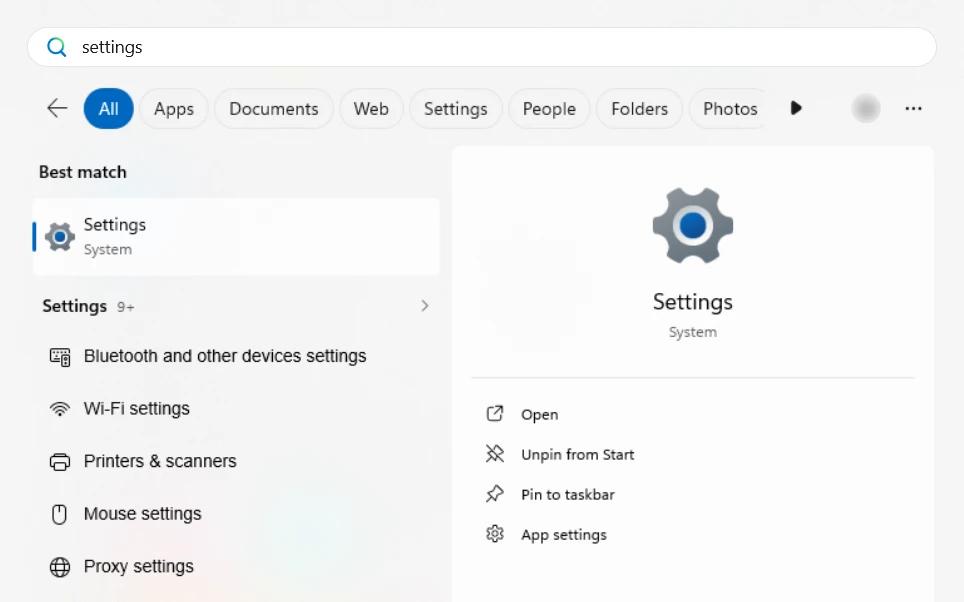
  1. Open the Start menuWindows uninstall, step 1
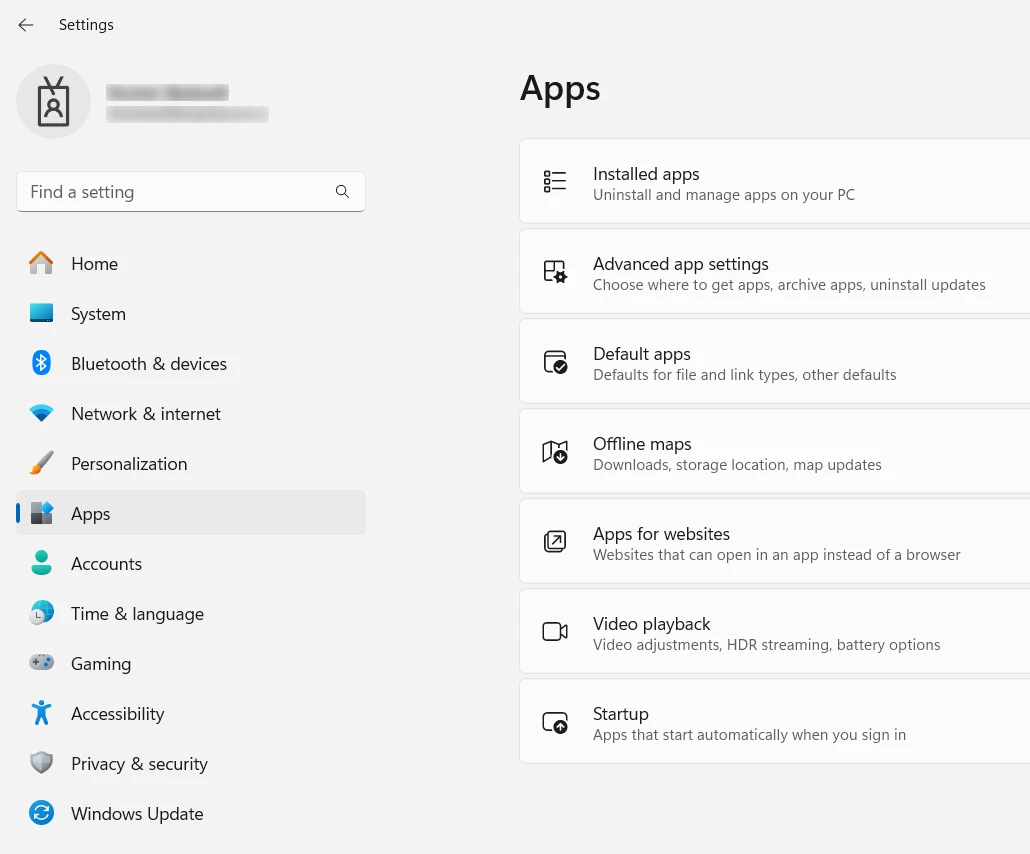
  2. Select SettingsAppsWindows uninstall, step 2
  3. Choose Installed Apps
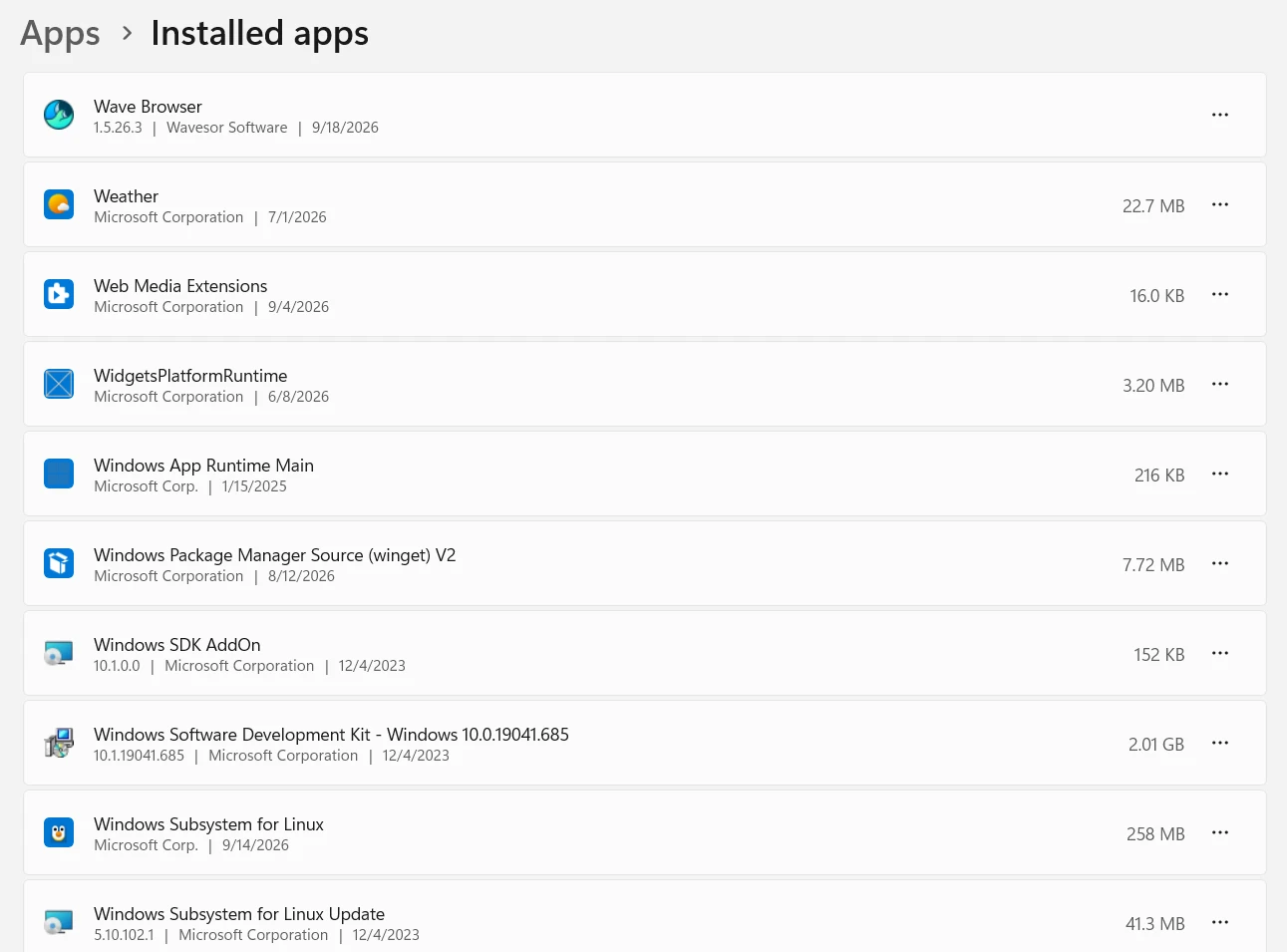
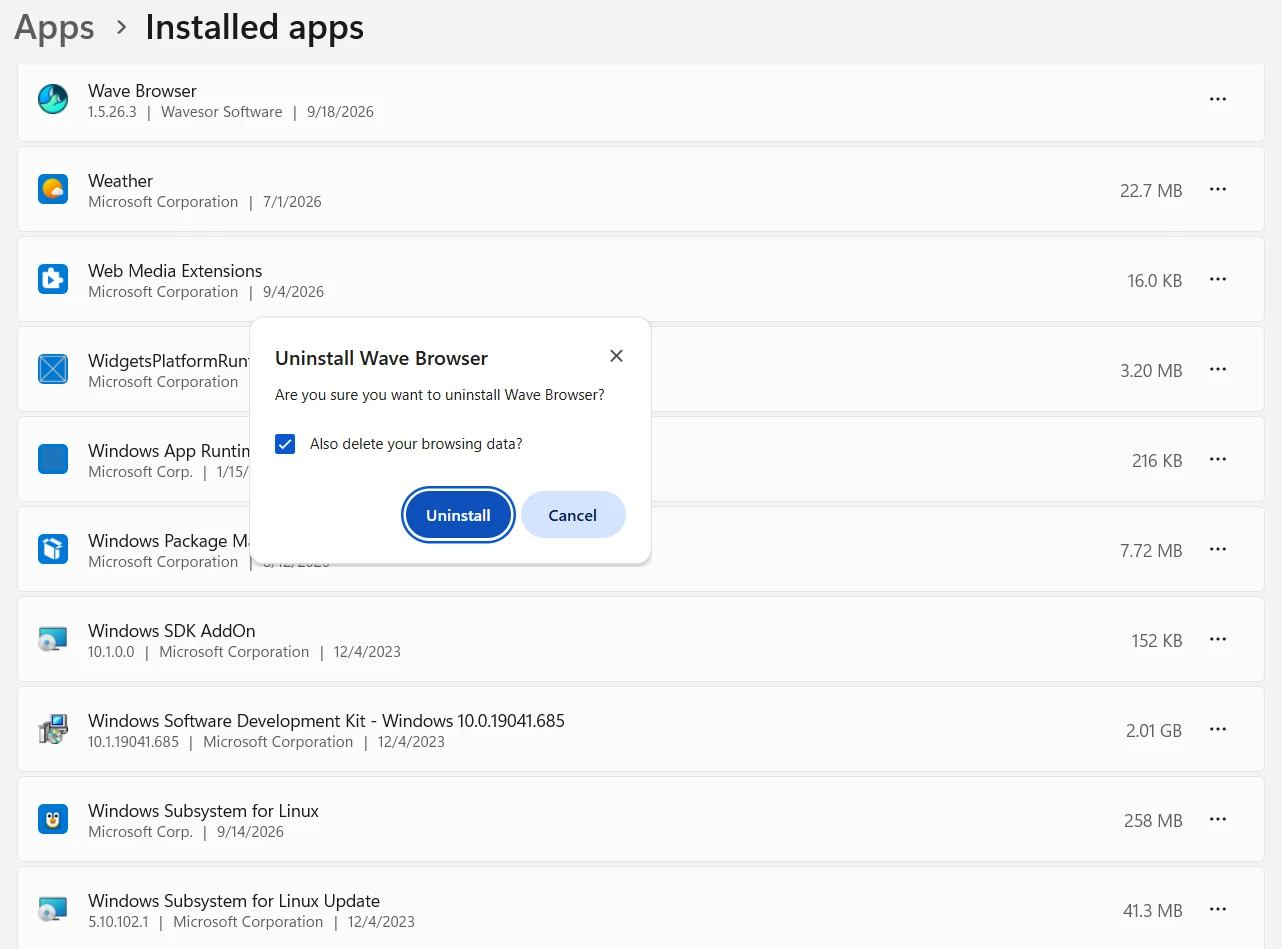
  4. Scroll to Wave Browser in the listWindows uninstall, step 4
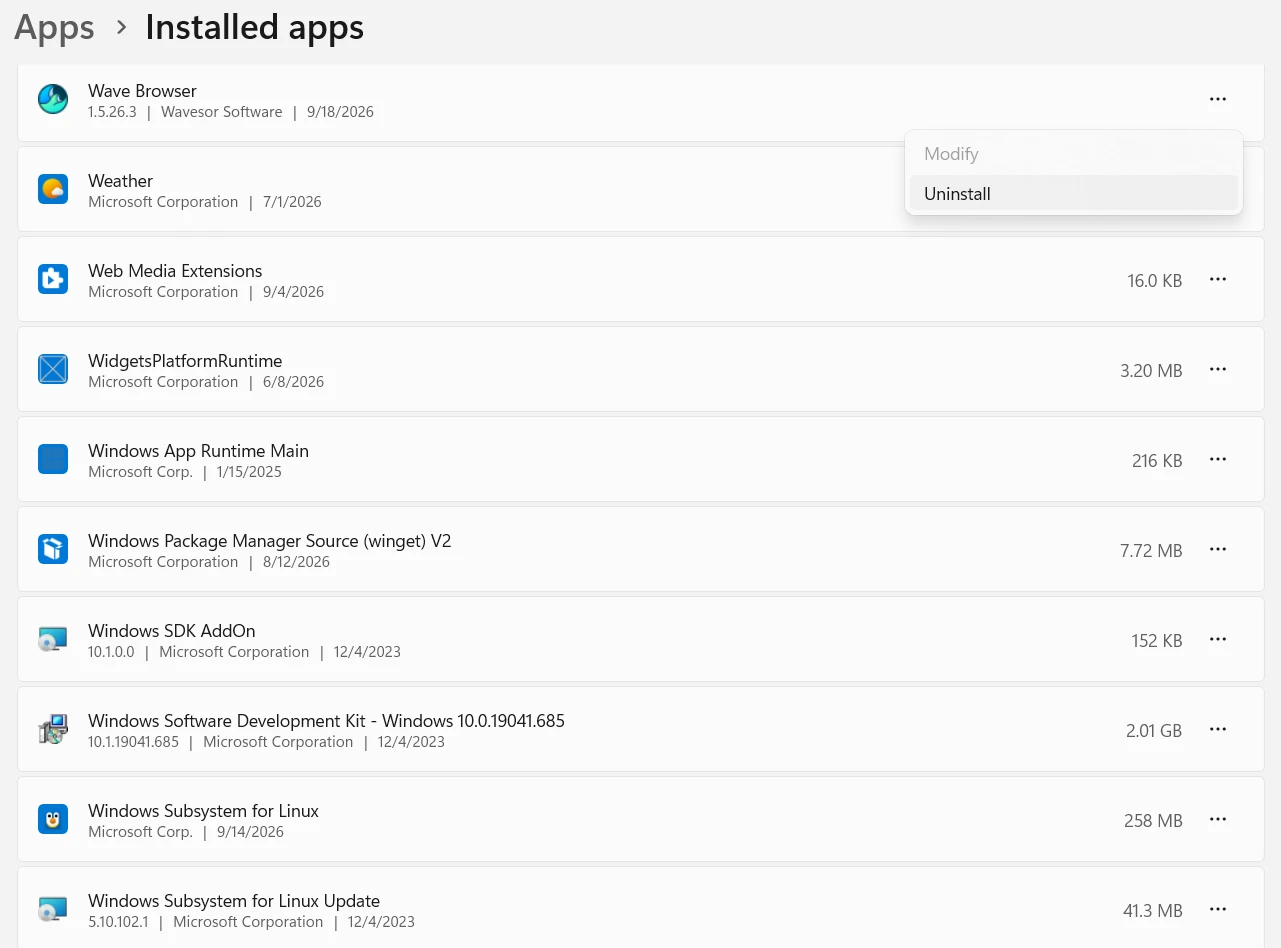
  5. Click UninstallWindows uninstall, step 5
  6. Confirm the removal when promptedWindows uninstall, step 6

After uninstalling, you may optionally choose another default browser in Windows Settings.

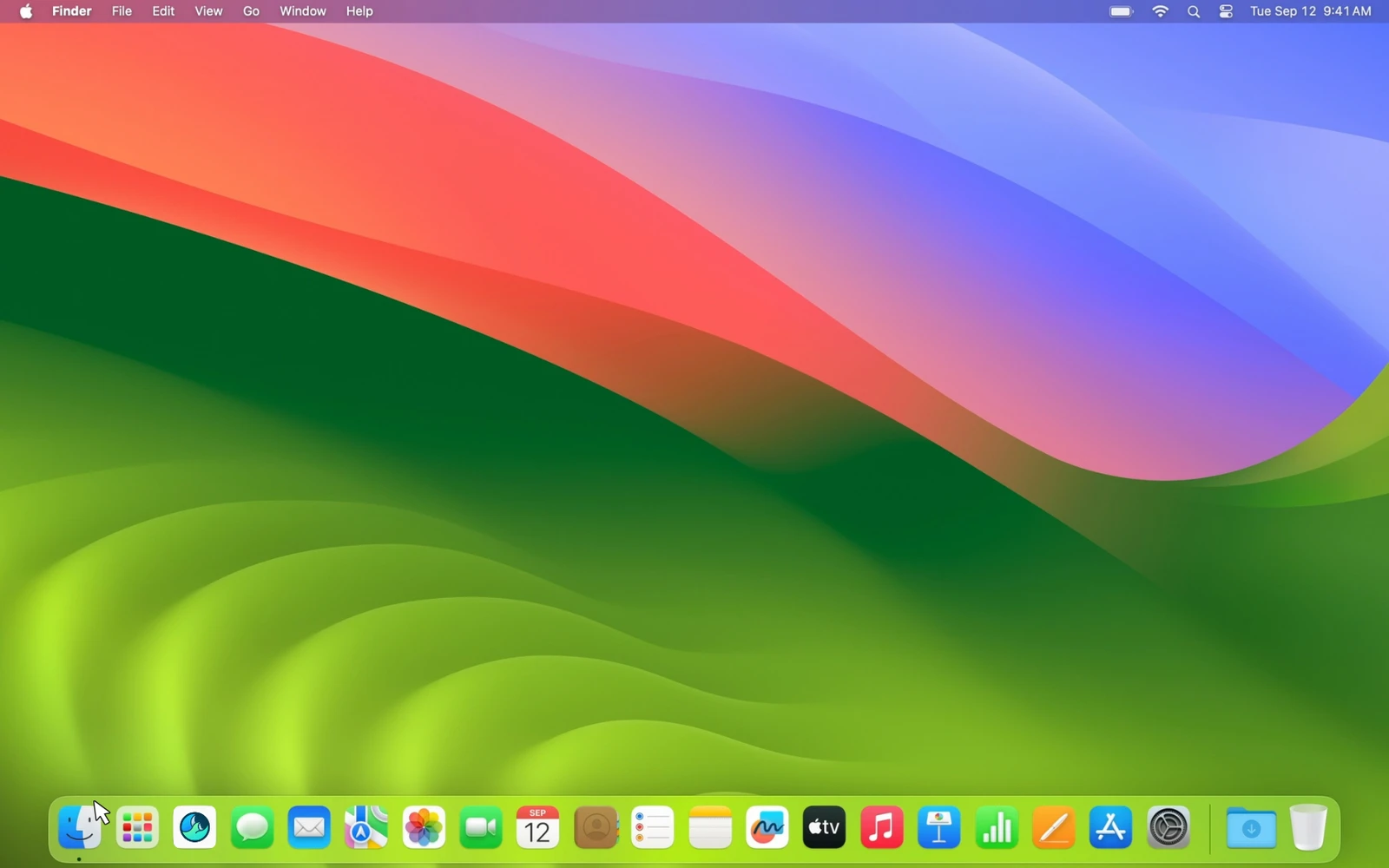
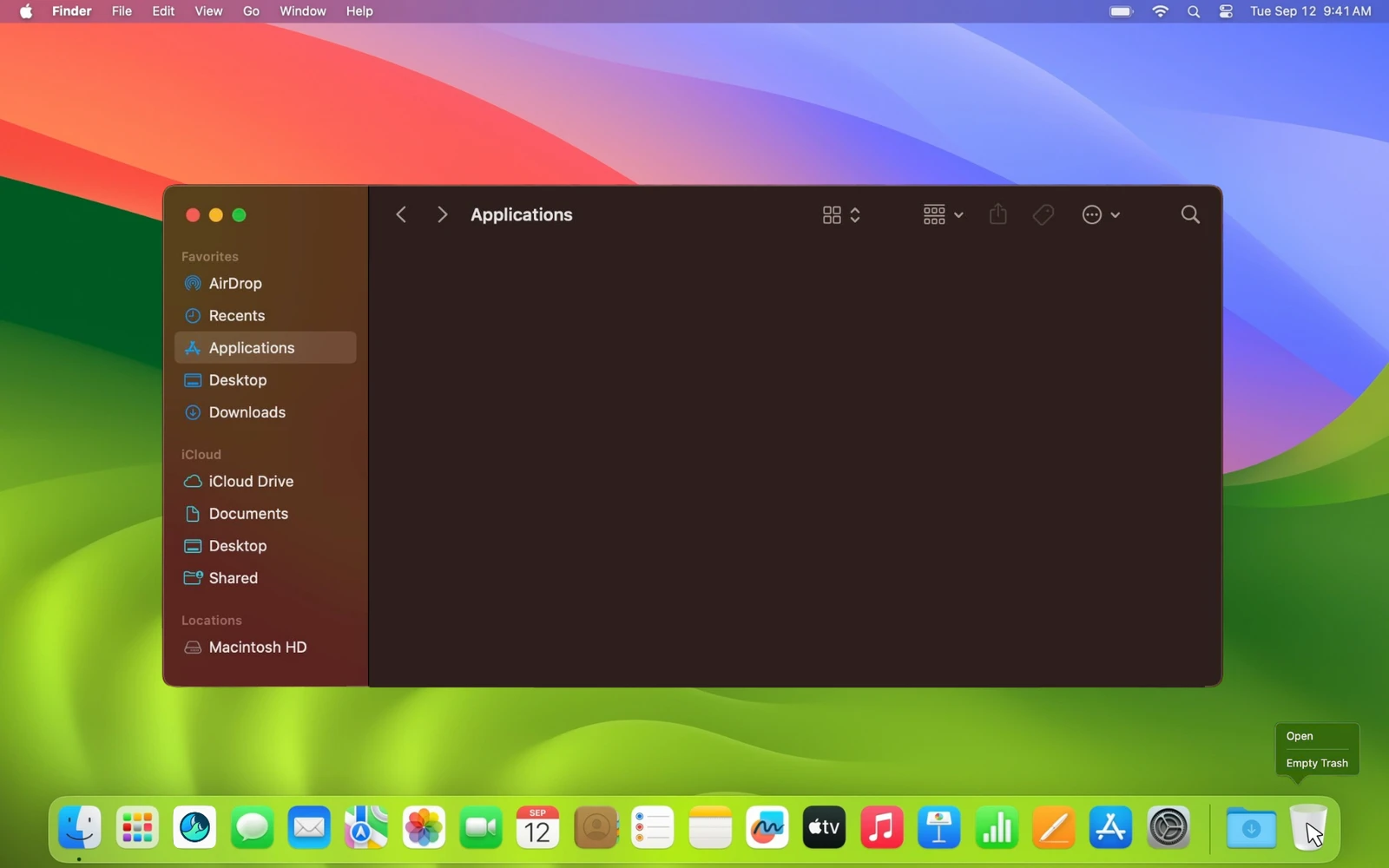
  1. Open FindermacOS uninstall, step 1
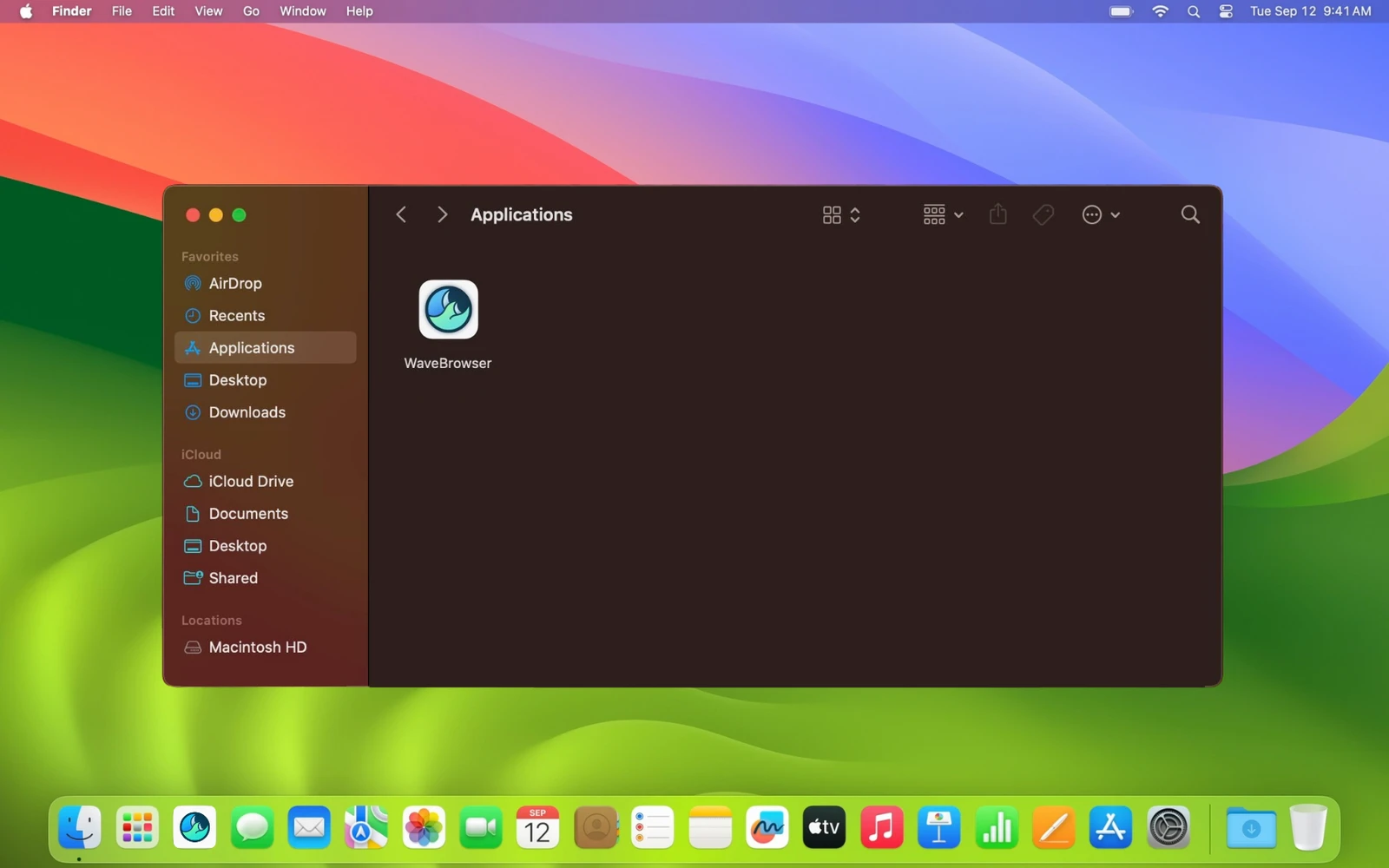
  2. Go to ApplicationsmacOS uninstall, step 2
  3. Find Wave Browser in the list
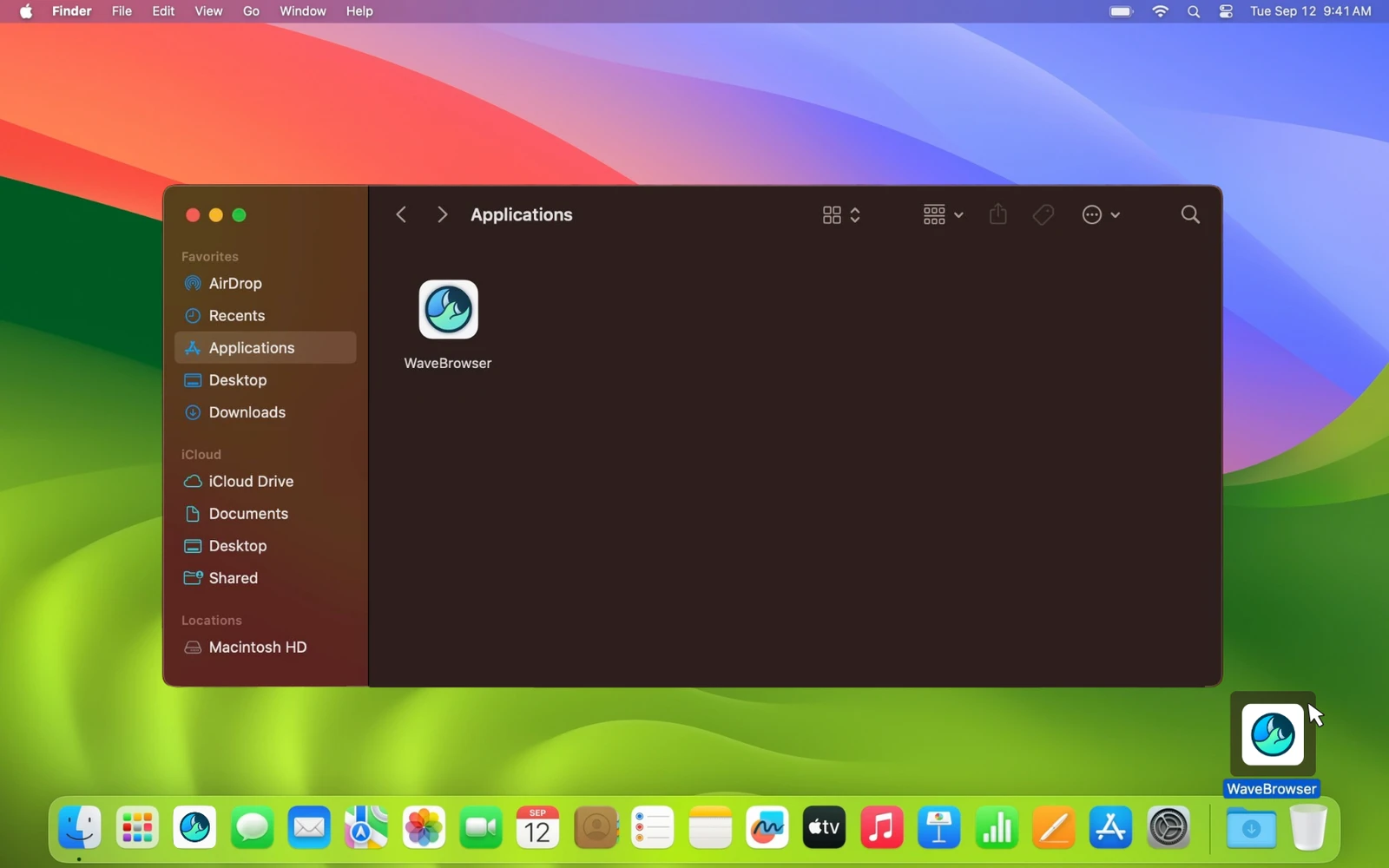
  4. Drag it to the TrashmacOS uninstall, step 4
  5. Empty the Trash to complete removalmacOS uninstall, step 5

This fully removes the application from your Mac.

Having Issues with Wave Browser?

If you're experiencing problems with Wave Browser, uninstalling and reinstalling can often resolve them. If the issue is not resolved, please don't hesitate to Contact Us! Our support team is eager to help resolve any problems or answer any questions you may have.

Thank you for trying Wave Browser!

Sea turtle in ocean - join the movement
Join The Movement

Start Browsing With Purpose

Unleash speed, security, and seamless surfing. Plus, every session helps clean the ocean. Discover the power of Wave Browser, download now!

By clicking the "Download Wave Browser" button, I agree to the Terms and Privacy Policy
