




Background image

A Browser Built for Speed and Efficiency

Browse with built-in tools designed to manage distractions and device resources while you help support ocean cleanup.

By clicking the "Download Wave Browser" button, I agree to the Terms and Privacy Policy
Feature availability may vary by device

A Faster Web Experience Starts with Ad Blocking

Avoid Interruptions and Distractions that Slow You Down

Ad blocking for faster page loading and performance

Block Distractions, Boost Performance

Wave’s built-in ad blocker strips out pop-ups, auto-play videos, and distractions that slow you down. The result? A faster, smoother browsing experience.

Reduce Unnecessary Page Content

Wave's built-in Ad Blocker can reduce the ads, pop-ups, and other page elements your browser needs to load, helping create a smoother browsing experience.

A Cleaner Video Browsing Experience

Focus on what matters most with Wave’s ad blocker. Reduce distracting ads and page clutter while you watch videos online.

Swift and Smooth

Explore how responsive design can speed up your browsing

Smooth scrolling and responsive interface design

Easy Surfing

Glide through webpages with smooth scrolling, switch browser tabs quickly, and navigate the web seamlessly with Wave's user-friendly and responsive interface.

Smart Tabs

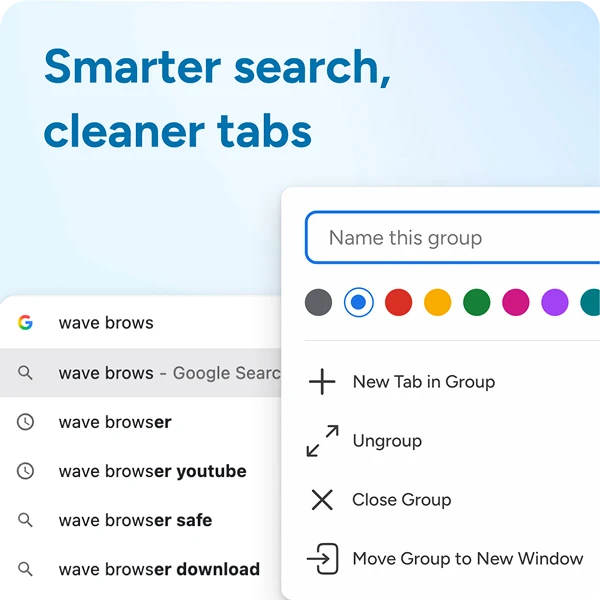
Avoid performance slowdowns and effortlessly navigate between desktop browser tabs while juggling multiple web pages and social media apps with Wave's Smart Tabs.

Intuitive Results

Experience fast results with predictive search, URL autofill, and instant search suggestions. Enjoy fast browsing and streamline the process of finding and accessing websites with Wave.

Background pattern

Enhance Your Internet Experience with an Efficient Browser

Block Disruptions

Block Disruptions

Online advertisements not only interrupt your browsing, but they can also make web pages load slower.

Optimize Resources

Optimize Resources

Blocking ads may help boost page load times with Wave Ad Blocker.

Unleash Faster Browsing

Unleash Faster Browsing

Built on Chromium with built-in privacy and security features.

By clicking the "Download Wave Browser" button, I agree to the Terms and Privacy Policy

Built for Efficient Everyday Browsing

Explore the built-in technologies and settings that help Wave manage browser resources while you browse.

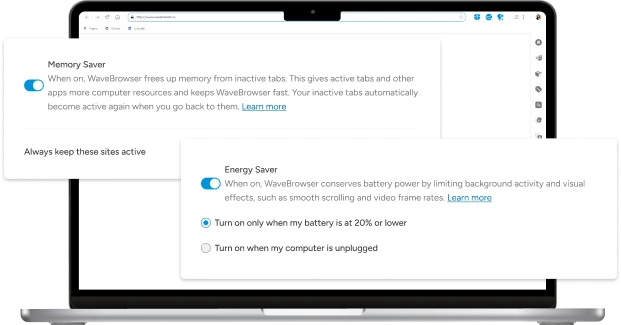
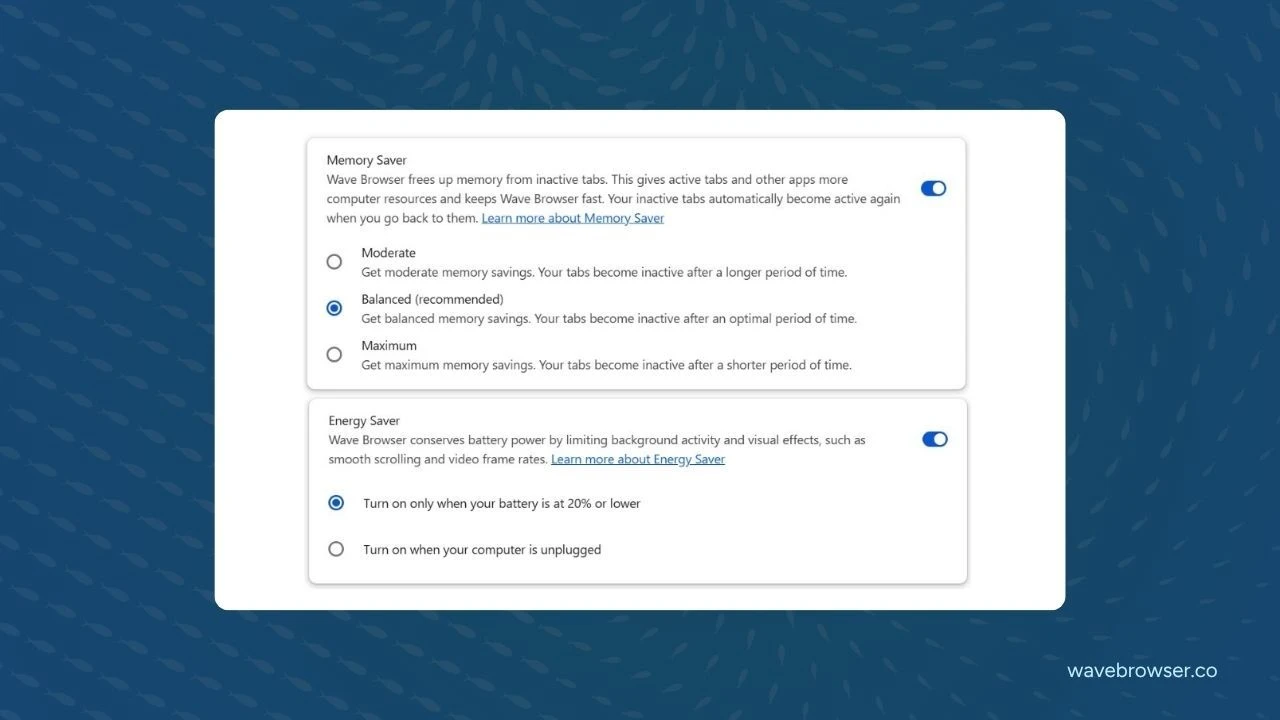
Wave Browser's optional memory and energy saving options help you save resources and reduce energy consumption

Chromium-Based Browsing Technology

Wave is built on Chromium, the open-source browser technology that supports modern websites, web applications, and browser standards.

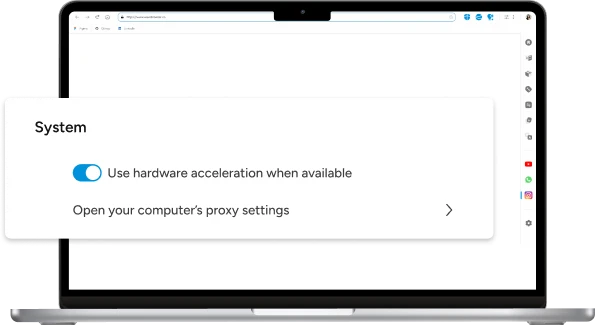
Wave supports hardware acceleration for graphics and rendering through its Chromium foundation.

Smart Resource Allocation

Wave includes optional performance settings such as Memory Saver and Energy Saver that can help manage resources used by inactive tabs and background browser activity. Actual resource usage and performance vary depending on your device, browser settings, websites, extensions, and number of open tabs.

Chromium-based JavaScript engine for efficient websites and web applications

Chromium-Based Javascript Engine

Wave was built with Chromium's source code, meaning you get to enjoy a familiar web interface with fast execution of JavaScript code, helping you leverage efficient performance of modern websites and web applications.

Sea turtle in ocean - join the movement
Join the Movement

Start Browsing with Purpose

Unleash speed, security, and seamless surfing. Plus, every session helps clean the ocean. Discover the power of Wave Browser, download now!

By clicking the "Download Wave Browser" button, I agree to the Terms and Privacy Policy

Explore More Features

Get to know the features that power your productivity and support a cleaner ocean.

Ad Block

Ad Block

Block unnecessary ads and trackers to help boost page load speeds, manage energy usage, and contribute to a smoother browsing experience.

Security

Security

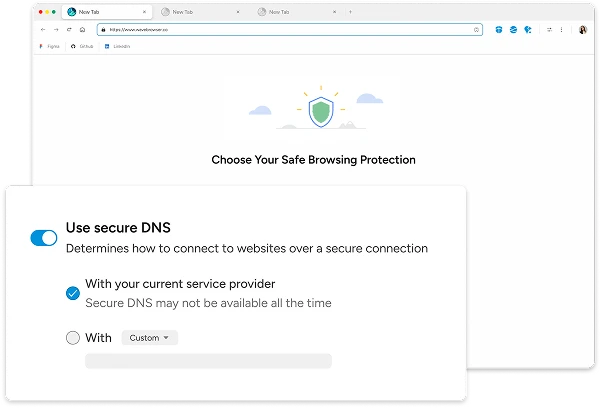
Browse with confidence using Wave’s built-in protections. Advanced security helps block threats and safeguards your data.

Messaging

Messaging

Work faster and stay focused. Use WhatsApp on Wave Browser for seamless, secure messaging right from your desktop.

Gaming

Gaming

Enjoy smooth gameplay by blocking unwanted ads and optimizing your connection for uninterrupted action.

Explore More Features

Common Questions

How can I manage browser resources in Wave Browser?

  1. Open Wave Browser
  2. Click on the three dots in the upper right corner
  3. Select “Settings”.
  4. Navigate to Performance.
  5. Turn on Memory Saver and/or Energy Saver based on your browsing preferences.
  6. Turn on pre-load pages and choose your preferred option.
  7. Adjust available settings as needed.

Available on: Windows & MacOS

Feature availability and settings may vary by device and operating system.