Online advertising funds much of today’s internet, but for many people, pop-ups, auto-play video ads, intrusive banners, and persistent trackers have turned everyday browsing into a cluttered experience.
The good news is that several modern browsers now include a built-in ad blocker and privacy tools that help improve your overall web experience without relying entirely on third-party tools.
Below, we break down which browsers offer native options and privacy protection, how they compare, and what to consider before choosing the best ad blocker browser for your needs.
What’s an Ad Blocker?
An ad blocker is a software tool designed to prevent advertisements from appearing on websites and applications. By filtering out unwanted ads, it enhances user experience, improves page loading times, and protects privacy by reducing tracking. Many browsers now offer built-in options for seamless integration.
Beyond privacy, this tool can improve:
- Page speed
- Reduced background scripts
- Lower CPU consumption
- Fewer active tracking requests
- Improved performance on lower-powered systems
Why a Browser With Built-In Ad Blocking Matters

A web browser with integrated tools can:
- Help block ads and reduce annoying ads
- Improve page loading times
- Reduce distractions
- Enhance tracking protection
- Limit exposure to malicious scripts and potential malware
- Improve battery life and reduce CPU usage on resource-heavy sites
While many users install browser extensions like uBlock Origin, uBlock Origin Lite, or Adguard, an ad blocker browser simplifies the setup process.
Let’s look at the main browsers offering built-in solutions.
Best Ad Blocker Browser Options

1. Wave Browser: Built-In Ad Blocker and Trackers
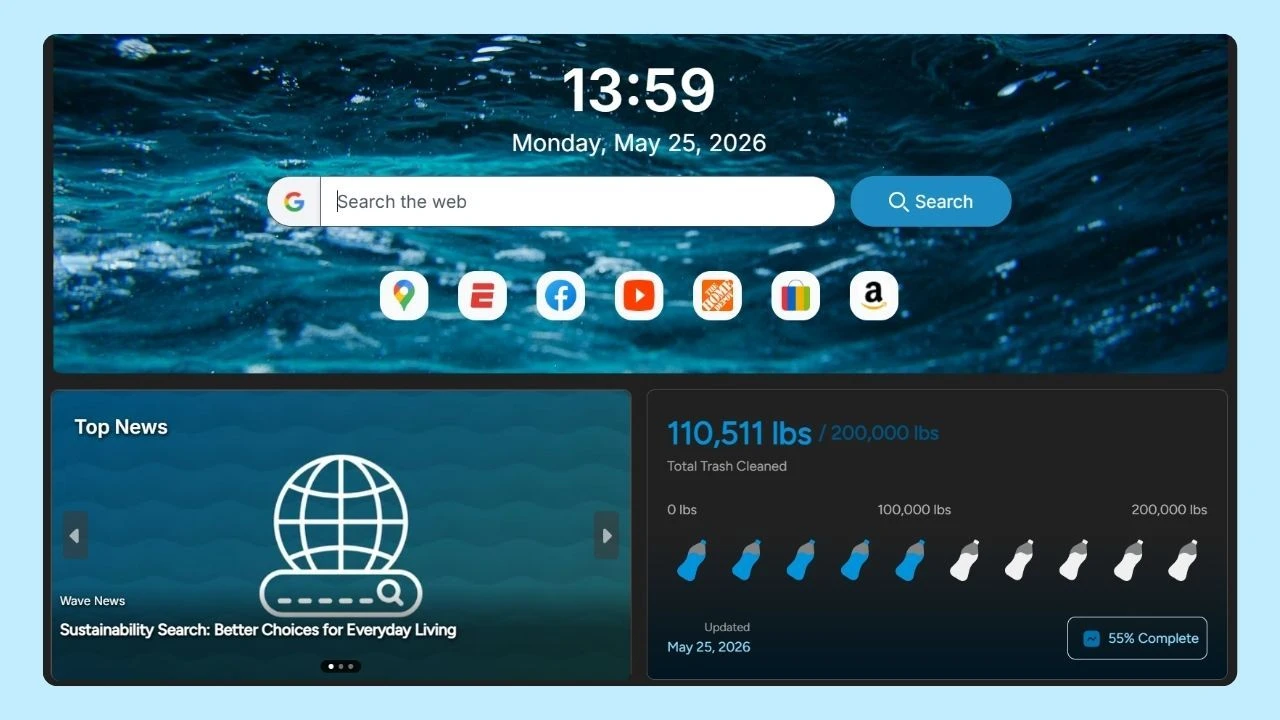
Wave Browser is a browser that includes a free built-in ad blocker designed to improve the overall browsing experience while supporting an eco-conscious mission.
Wave’s core functionality includes:
- Built-in tool to block ads and reduce intrusive scripts
- Customizable tracking protection settings
- Cleaner experience across web pages
- Support for productivity tools within the same interface
Wave helps reduce annoying ads, auto-play media, and excessive pop-ups that interrupt your workflow, lowering performance overhead. It runs on desktop environments and Android, and aligns closely with familiar Chromium-based navigation patterns.
2. Brave Browser: Built-In Adblock and Privacy by Default
Brave is often cited as one of the most privacy-focused mainstream options. Built on Chromium, it includes native blocking tools called shields that automatically filter advertisers, scripts, and cross-site tracking attempts.
Key features include:
- Blocking intrusive ads and filtering scripts
- Advanced tracking protection
- Optional rewards program
- Private window with integrated VPN option
- “Aggressive” or strict mode settings
Brave blocks many YouTube ads, reduces fingerprinting techniques, and can improve battery life on desktop and Android devices. It is also partially open source, which appeals to technically inclined users.
3. Opera Browser: Built-In Ad Blocking and Optional VPN
Opera includes a native feature that can be enabled in settings. It also offers a free integrated VPN, which adds another layer of privacy for casual use.
What Opera offers:
- Toggleable built-in ad blocker
- Basic anti-trackers protection
- Free browser-level VPN
- Built-in messenger and sidebar integrations
Opera can help clean up web pages and reduce intrusive notifications, but some users still prefer pairing it with external Chrome extensions for more granular filtering.
4.Firefox: Enhanced Tracking Protection
Firefox approaches privacy differently. Rather than focusing solely on blocking ads, it emphasizes enhanced tracking protection and anti-fingerprinting technology.
Firefox highlights:
- Built-in tracking protection
- Multiple privacy modes including strict mode
- Strong customization
- Independent development, not tied to Google
Although Firefox does not include a full native tool like Brave or Opera, it blocks many trackers by default. Users can enhance filtering with tools like uBlock Origin from the chrome web store equivalent in Firefox’s add-on marketplace.
Because Firefox is widely available on Linux, Android, MacOS, and desktop platforms, it remains a strong alternative for privacy-focused users.
5. Microsoft Edge: Balanced Privacy and Performance
Built by Microsoft and also powered by Chromium, Edge includes built-in tracking prevention settings with three tiers: Basic, Balanced, and Strict.
What you get:
- Adjustable tracking protection
- Integration with Windows security features
- Compatibility with most chrome extensions
Edge does not include a full built-in ad blocker, but it does reduce tracking scripts that affect your browsing history and personal information. Many users supplement it with Adguard or other extension-based tools.
6. Safari: Content Blockers for Apple Users
On Apple devices, Safari supports built-in tracking prevention and system-level content blockers.
Safari features:
- Intelligent Tracking Prevention
- Extension-based ad blocking
- Efficient CPU usage on Mac
- Energy optimization for improved battery life
Safari is tightly integrated with macOS and supports cross-device sync across Apple devices. While it does not provide a default built-in ad blocker, it supports third-party tools through its extension ecosystem.
7. Chrome and Extensions: Customizable but not Built-In
Despite being the most widely used browser, Chrome does not include a robust built-in ad blocking engine. Users typically rely on chrome extensions from the Chrome Web Store.
While these tools can be powerful, changes in extension frameworks may affect long-term compatibility. Chrome remains a strong option for customization, but ad blocking depends on external solutions rather than being enabled by default.
Comparing Built-In Ad Blocking vs Extensions on Desktop

When evaluating an ad blocker browser, there are two primary approaches to improving privacy and reducing unwanted content on desktop: built-in protection and extension-based protection.
Built-In Protection
An ad blocker browser offer a streamlined solution without requiring additional downloads. This approach typically provides:
- Simpler setup with no extra installation steps
- Fewer extension conflicts
- More consistent performance
- Better integration with browser-level DNS filtering and privacy settings
Because the filtering engine is built directly into the browser, it can operate more efficiently and reduce compatibility issues that sometimes occur with third-party tools.
While you can use multiple ad blockers together in one browser, it is generally not recommended, as they may conflict and lead to unexpected browsing issues or reduced browsing speed. It's usually best to choose one robust ad blocker that aligns with your privacy needs for the smoothest browsing experience.
Extension-Based Protection
Using extensions allows for more customization and flexibility. However, extensions rely on external frameworks and may require ongoing maintenance to ensure compatibility with browser updates.
Popular tools often provide:
- More granular filtering controls
- Access to community-maintained filter lists
- Greater control over individual site settings
- Adjustable rules for specific content types
To install an ad blocker on your browser, open a new tab and visit your browser's official extension store. Search for popular ad blocker extensions, choose one that fits your needs, and click 'Add to browser' or 'Install.' Once added, you can usually configure the ad blocker by accessing its settings from the tab or extensions menu.
For a deeper breakdown of how these approaches differ in real-world use, see this detailed guide on adblockers vs. adblocking extensions.
Privacy Protection Beyond Ads
A truly privacy-focused browser goes beyond simply blocking ads. It also addresses:
- Cross-site tracking
- Fingerprinting
- Data storage practices
- Cookie isolation
- Protection of personal information
Blocking ads is only one layer of privacy protection. A comprehensive solution also limits third-party data sharing, reduces exposure to trackers, and gives users clearer control over how their data is handled.
As digital advertising continues to evolve, privacy tools are advancing alongside it. Reducing annoying ads, improving your browsing experience, and strengthening user privacy now depend on choosing a browser designed with built-in safeguards.
From Chromium-based platforms to independent engines, users have more meaningful options than ever before. Browsers like Wave combine integrated ad blocking with thoughtful privacy controls, helping create a cleaner, more focused browsing environment while maintaining familiar functionality.
Choosing the right browser is no longer just about speed or design; it’s about creating a safer, more intentional way to navigate the modern web.