As artificial intelligence (AI) continues to evolve, AI tools for productivity are becoming essential for students, professionals, and businesses. These tools can automate repetitive tasks, support content creation, improve project management, and streamline workflows, helping users work smarter, save valuable time, and focus on higher-priority activities.
For students, professionals, creators, and small teams, some tools can simplify complex tasks, reduce manual work, and help organize information more efficiently. Combined with a productive browser experience, these tools can create a smoother workflow throughout the day.
Wave Browser helps support productivity with built-in tools like an AI Assistant, split-screen browsing, tab management, reading lists, and other features designed to help users stay focused while working online.
In this guide, we'll explore what AI tools for productivity are, why they matter for work and study, and some of the best options available today.
What Are AI Tools for Productivity?
AI tools for productivity are applications that use artificial intelligence, machine learning, and natural language processing to help users complete tasks more efficiently.
These tools can assist with:
- Content creation
- Data analysis
- Workflow automation
- Project management
- Task management
- Knowledge management
- Customer support
- Social media management
- Data entry
- Meeting notes
- Visual content creation
Think about how much time is spent searching for information, rewriting content, organizing notes, or keeping track of tasks. AI tools can handle much of that work for you. If you're preparing a presentation, summarizing a meeting, creating social media posts, or managing project documentation, AI can help you get from idea to finished result faster.
Why Are AI Productivity Tools Important for Work and Study?

AI productivity tools can help streamline everyday tasks and automate repetitive work. Popular platforms such as ChatGPT, Claude, Gemini, Perplexity, and Zapier AI each offer different features, allowing users to choose the tools that best fit their needs.
While these tools can improve efficiency and save time, AI-generated content should always be reviewed for accuracy, especially when it involves medical, legal, financial, or other high-stakes topics.
Below are some of the key reasons why AI productivity tools are worth using:
Reduce Repetitive Tasks
Many professionals spend a significant portion of their day on routine work such as scheduling meetings, organizing files, updating spreadsheets, formatting documents, and copying information between platforms. While these tasks are necessary, they often take time away from higher-value work.
AI tools for productivity can automate many of these processes, allowing users to focus on strategy, creativity, and decision-making.
Improve Content Creation
Creating quality content often involves more than just writing.
Research, outlining, editing, and optimization can take hours before a piece is ready to publish. AI writing tools can help streamline each stage of the process by generating ideas, suggesting headlines, creating outlines, summarizing sources, and improving clarity.
A marketer might use it to draft social media posts for multiple platforms, while a student could use it to organize research notes into a structured essay outline. The result is a faster workflow without sacrificing quality.
Better Project Management
Keeping projects on track becomes more challenging as deadlines, priorities, and team responsibilities grow.
AI-powered project management tools can help organize tasks, identify potential bottlenecks, and highlight what needs attention first. Instead of manually reviewing every project update, managers can receive summaries, automated progress reports, and prioritized action items.
Faster Research
Research often involves reviewing multiple sources, comparing information, and identifying the most relevant insights. AI assistants can significantly speed up this process by summarizing articles, extracting key points, and answering specific questions.
For example, a student researching climate change or a professional evaluating software solutions can quickly understand the main findings of several sources before deciding which ones deserve a deeper review. Remember that artificial intelligence doesn't replace critical thinking, but it can reduce the time spent gathering information.
Support Learning
Some tools can explain difficult concepts in simpler language, generate practice questions, create study plans, and organize class notes into easy-to-review summaries.
A student preparing for an exam might ask an AI tool to break down a complex math concept step by step, while a professional learning a new skill could use it to create personalized learning materials. This makes studying more interactive and adaptable to individual learning styles.
Enhance Team Collaboration
Strong collaboration depends on clear communication and shared access to information. AI productivity tools help teams stay connected by generating meeting notes, summarizing discussions, tracking decisions, and organizing shared knowledge.
For example, after a team meeting, an AI tool can automatically create a summary that includes key takeaways, assigned tasks, and upcoming deadlines. This reduces misunderstandings and ensures everyone has access to the same information, even if they couldn't attend the meeting.
The Best AI Productivity Tools in 2026
ChatGPT
ChatGPT remains one of the best options for general productivity because it helps users to:
- Write blog posts
- Summarize documents
- Generate ideas
- Create social media content
- Analyze information
- Draft emails
- Build study materials
Its versatility makes it one of the best AI tools for productivity, helping students, professionals, and knowledge workers streamline tasks, generate ideas, and work more efficiently.
Microsoft Copilot
Microsoft Copilot integrates directly into Microsoft 365 applications such as Word, Excel, PowerPoint, Outlook, and Teams.
Its features include:
- Automated document creation
- Spreadsheet analysis
- Meeting summaries
- Presentation generation
- Workflow automation
Organizations already using Microsoft's ecosystem often find Copilot one of the best productivity tools for improving productivity.
GitHub Copilot
GitHub Copilot is designed specifically for developers, helping streamline coding tasks and reduce development time.
Using machine learning and generative AI, it helps programmers:
- Write code faster
- Suggest solutions
- Generate functions
- Reduce repetitive coding tasks
- Learn new programming languages
Notion AI
Notion AI combines productivity, knowledge management, and project management into one platform.
Users can:
- Generate meeting notes
- Summarize documents
- Organize knowledge bases
- Create task lists
- Manage projects
Its capabilities make it especially useful for small teams and knowledge workers.
Grammarly
Grammarly has evolved beyond grammar checking into a powerful writing tool.
It helps users:
- Improve writing quality
- Rewrite content
- Adjust tone
- Create professional communications
- Enhance output quality
Students and professionals alike use Grammarly to produce clearer content.
Best use case: Writing improvement and communication.
Jasper
Jasper focuses heavily on content creation and marketing workflows.
The platform supports:
- Blog posts
- Marketing copy
- Social media posts
- Product descriptions
- Email campaigns
Businesses that publish large amounts of content often use Jasper to streamline content production.
ClickUp AI
ClickUp combines project management tools with AI-powered productivity features.
Capabilities include:
- Task management
- Automated workflows
- Project planning
- Team collaboration
- Action item generation
Its different approach to productivity combines planning and AI assistance in one platform.
Canva Magic Studio
Canva's AI technology helps users create visual content quickly, making it valuable for creators and marketing teams.
Features include:
- AI image generation
- Design suggestions
- Social media graphics
- Presentation creation
How to Choose the Right AI Tool for Productivity
Your Primary Use Case
Before choosing an AI tool, think about the type of work you do most often. The best solution for a content creator may not be the right fit for a project manager, customer support team, or data analyst.
- Content creation: look for tools that can help with brainstorming, writing, editing, and generating ideas. For example, marketers may use AI to draft blog posts, create email campaigns, or generate social media content more efficiently.
- Project management: prioritize tools that help organize tasks, track deadlines, assign responsibilities, and keep team members aligned. These platforms can reduce the time spent following up on projects and make it easier to spot potential delays.
- Social media management: AI can help generate captions, suggest content ideas, schedule posts, and analyze engagement trends across different platforms.
- Data analysis: may benefit from tools that can summarize reports, identify patterns, generate charts, or explain complex datasets in plain language.
- Customer support: AI-powered platforms can answer common questions, draft responses, route support tickets, and assist agents with relevant information during conversations.
- Knowledge management: look for tools that help organize documents, centralize information, and make company knowledge easier to search and access. This can be especially useful for remote teams that rely on shared resources and documentation.
The clearer your use case, the easier it becomes to identify the right AI productivity tool.
Consider the Learning Curve
Not every AI productivity tool delivers value immediately. Some platforms are designed to work right out of the box, while others require significant setup, customization, and training before they become truly useful.
If you're looking for quick productivity gains, prioritize tools that are easy to learn and integrate into your existing workflow. If you're willing to invest more time upfront, advanced platforms may offer greater long-term benefits.
Free Plan vs. Paid Plans
Most AI tools for productivity offer a free plan that allows users to explore the platform before committing financially. These plans are often sufficient for students, freelancers, or individuals with basic needs. However, as usage grows, paid plans may become worthwhile.
They often provide:
- Advanced AI features
- Higher usage limits
- Faster processing speeds
- Access to newer models
- Team collaboration capabilities
- Additional integrations with other software
For example, a freelancer may be perfectly satisfied with a free AI writing assistant, while a marketing team producing content every day may need premium features to support larger workloads.
Test the Quality of AI Outputs
One platform may produce excellent written content, while another excels at project planning or workflow automation.
Before committing to a tool, test it using real tasks from your daily routine. Ask it to summarize a report, generate a blog outline, create meeting notes, or analyze data. Comparing results side by side can reveal important differences in accuracy, clarity, and overall usefulness.
The goal isn't simply to find the most advanced tool. It's to find the one that consistently produces results that meet your standards.
Consider Your Team's Needs
The size of your team can play a major role in selecting the right productivity platform, especially if you're choosing a tool for work.
Individuals and small teams often prioritize simplicity, affordability, and ease of use. They may only need a writing assistant, meeting note generator, or basic project management tool.
Larger organizations typically require advanced collaboration features, centralized knowledge bases, administrative controls, and integrations with existing business systems. They may also need tools that can support dozens or even hundreds of users simultaneously.
Choosing a platform that matches your team's current needs can help avoid unnecessary costs while ensuring everyone can work effectively as projects grow.
Are AI Productivity Tools Worth the Cost?
AI productivity tools can be a game-changer for businesses and individuals alike. They streamline tasks, enhance efficiency, and often lead to significant time savings. When weighing the cost against potential productivity gains, many find these tools not only worth the investment but essential for maximizing output and effectiveness.
How Wave Browser Can Help You Stay Productive
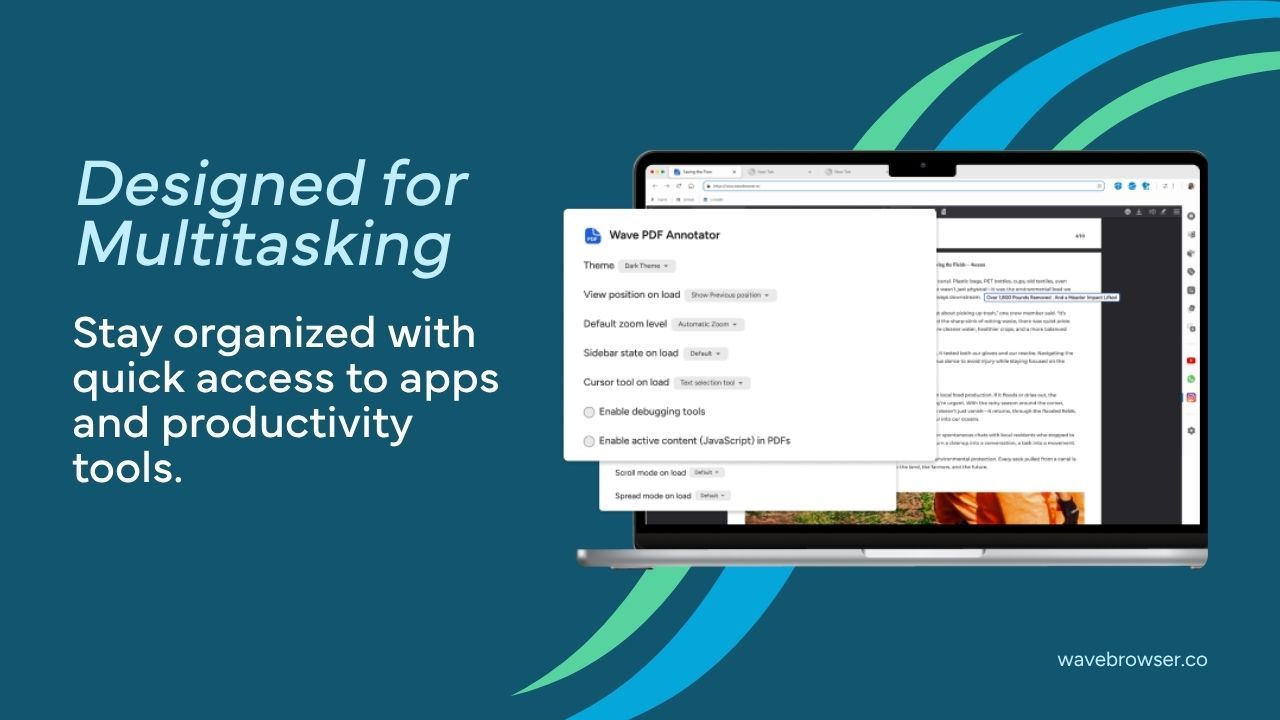
Much of today's productivity happens in your browser. It's where you research, communicate, manage projects, create content, and use many of your favorite AI tools. That's why having a browser designed for efficiency can make a real difference.
Wave Browser brings helpful tools directly into your browsing experience, so you can keep your work moving without unnecessary interruptions.
- Features like split-screen browsing make it easier to compare information side by side.
- AI Assistant can help with research, writing, and quick answers without opening another tab.
- Translate lets you quickly understand websites and content in other languages without switching to a separate translation service.
- The Converter Tool provides fast conversions for currencies, measurements, and units, making it useful for research, travel, shopping, and study.
- Content Notifier helps you keep track of updates from your favorite websites.
- Stock Tracker provides quick access to market information directly from your browser.
Combined with tab organization, reading lists, bookmarks, and built-in messaging access, Wave Browser helps keep everything you need within reach.