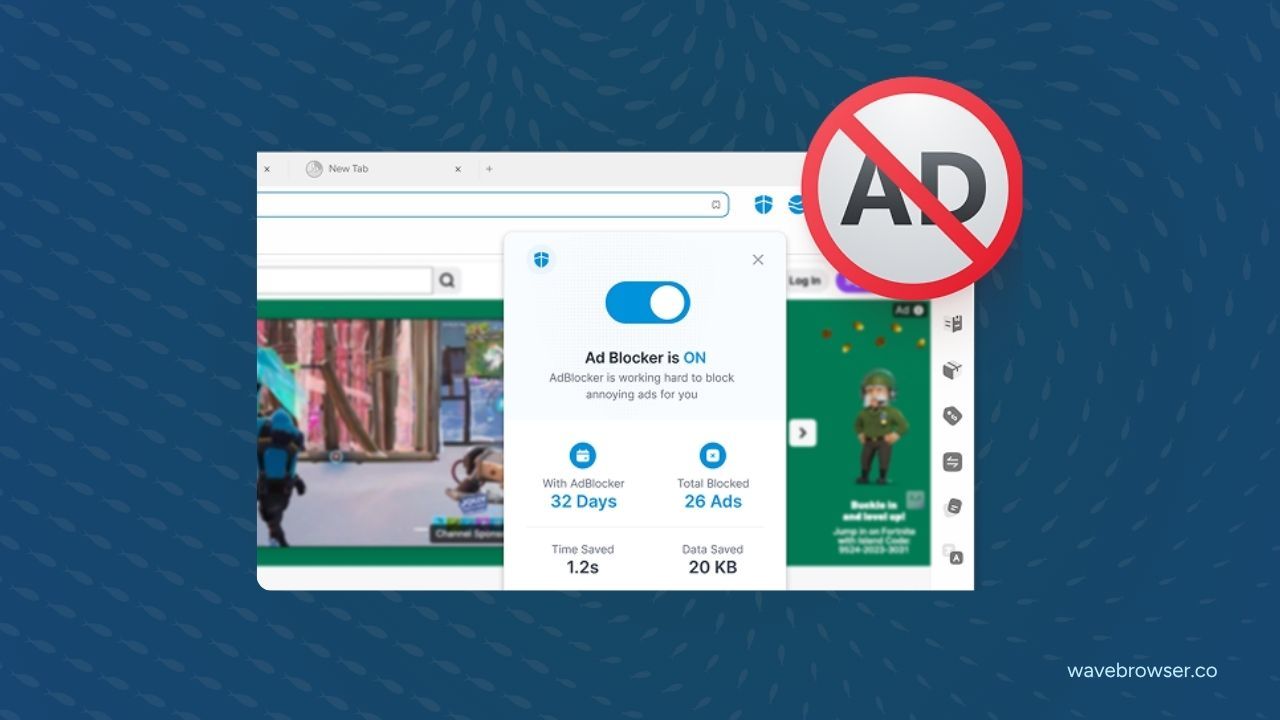
On Windows and macOS, Wave Browser blocks supported ads and trackers while you browse. The feature has a clear desktop role: it handles supported page content, while cookie and privacy controls, Incognito Mode, and network services answer different browsing questions. This guide explains how the controls work together and how the platform scope changes between desktop and mobile.
Quick answers:
- What does Wave Browser's ad and tracker blocking do? On Windows and macOS, it blocks supported ads and trackers while you browse.
- What does the blocking feature cover? It blocks supported ads and trackers. Results depend on what the feature recognizes and what the page loads.
- How is it different from cookie and privacy controls? Cookie and privacy controls address what sites may store and use; blocking addresses supported content that loads in the page.
- How is it different from Incognito Mode? Incognito Mode manages local history on the device, while blocking handles supported content that loads in the page.
- How does blocking relate to network privacy? Ad and tracker blocking handles supported page content. A VPN is a separate network service, and websites, networks, and account providers maintain their own records.
- Where is desktop blocking available? Windows and macOS. Check the current platform feature page before assuming the same control transfers to Android or iOS.
What “Supported Ads and Trackers” Means
Blocking works against the ad and tracker sources the feature is built to recognize. When a recognized source is blocked, the page may load fewer of those recognized ads or trackers. That can reduce some of the advertising and tracking content you encounter during ordinary browsing, while keeping the action inside the browser you control.
The supported scope keeps the product description clear. On Windows and macOS, Wave Browser uses the feature's supported patterns to block recognized ad and tracker sources. Websites and methods evolve, so results depend on what the page loads and what the feature recognizes. The practical claim is that Wave Browser blocks supported ads and trackers on the desktop platforms described here.
You can read the Wave Browser Ad Block page for the product description and the Privacy features page for the surrounding controls.
Those pages should be read as complementary: blocking changes what supported content loads, while the other controls address different parts of browsing behavior.
Three Controls, Three Different Questions
Wave Browser's privacy tools are easier to use when you match each one to the record or action you want to manage.
| Control | The question it answers | Platform scope |
| Ad and tracker blocking | “What supported ads and trackers load in the page?” | Windows and macOS |
| Cookie and privacy controls | “What choices do websites have about storing and using data?” | Windows, macOS, Android, and iOS |
| Incognito Mode | “What should the browser add to local history on this device?” | Windows, macOS, Android, and iOS |
Each control answers a different browsing question. Imagine browsing on a Windows laptop. Blocking addresses supported ads and trackers that the page tries to load. Cookie and privacy controls shape your standing preferences about site data. Incognito Mode gives you a session-specific local-history choice if you are using a shared device or handling a lookup you do not want mixed with ordinary history.
On an iPhone or Android phone, the cross-platform controls include Incognito Mode and customizable cookie and privacy settings. Desktop blocking is described for Windows and macOS; mobile feature availability follows the current platform-specific product page.
What Blocking Changes in a Browsing Session
A page is built from many requests. Some create the article or product information you came to read; others may deliver advertising, measurement, or tracking resources. When a supported source is recognized, Wave Browser's desktop blocking control can prevent that supported content from loading in the page.
That can make a page feel less crowded and reduce some recognized tracking activity. It can also change the way a page behaves. A site may rely on an embedded service for a feature you wanted to use, or a page may present a message when it detects a blocking control. The feature is still doing the job it is designed to do, but a user may need to decide whether the page's function is more important than the supporting content in that moment.
The right mental model is preference management. You are choosing how your browser handles supported ads and trackers during a desktop session, while site and network records remain governed by the relevant service.
Blocking and Network Privacy Answer Different Questions

Ad and tracker blocking stays inside the page and the browser's handling of supported content. A VPN is a separate network service that changes how traffic is routed, while an internet provider, employer, school, public Wi-Fi operator, website, or account provider manages its own visibility according to its systems.
That distinction matters because “privacy” describes several different questions. Blocking concerns supported page content. Cookie and privacy controls concern site-data choices. Incognito Mode concerns local history. Network routing is a separate category. Keeping these categories distinct makes the controls easier to choose.
A Practical Desktop Routine
Start by identifying what you want to change. If the page includes recognized advertising or tracking resources you want to manage, use the desktop ad and tracker blocking control. If you want to decide what sites may store and use in your regular browsing, review cookie and privacy controls. If the concern is the next person who opens your device, use Incognito Mode for that session.
Then evaluate the page you are using. If a site asks you to adjust a blocking control to access a feature, make the choice based on the content and service you need. A setting supports your decision while you stay in control. If a page behaves unexpectedly, note the URL, the platform, and the browser version before contacting support.
The Wave Browser features page provides broader product context. The ad and tracker control has a defined job, and its value is clearest when that job stays visible.
Where the Feature is Available
The desktop scope described here is Windows and macOS. Wave Browser is also available on Android and iOS, with platform-specific feature lists. If blocking matters on a mobile device, check the current platform page and the in-product control on that device before making a decision.
This is a useful rule for any cross-platform browser: the browser can be available on four platforms while an individual feature follows a desktop, mobile, or implementation-specific scope. Reading the platform scope next to the feature name keeps the product explanation precise.
How Blocking Fits with Wave Browser's Wider Mission
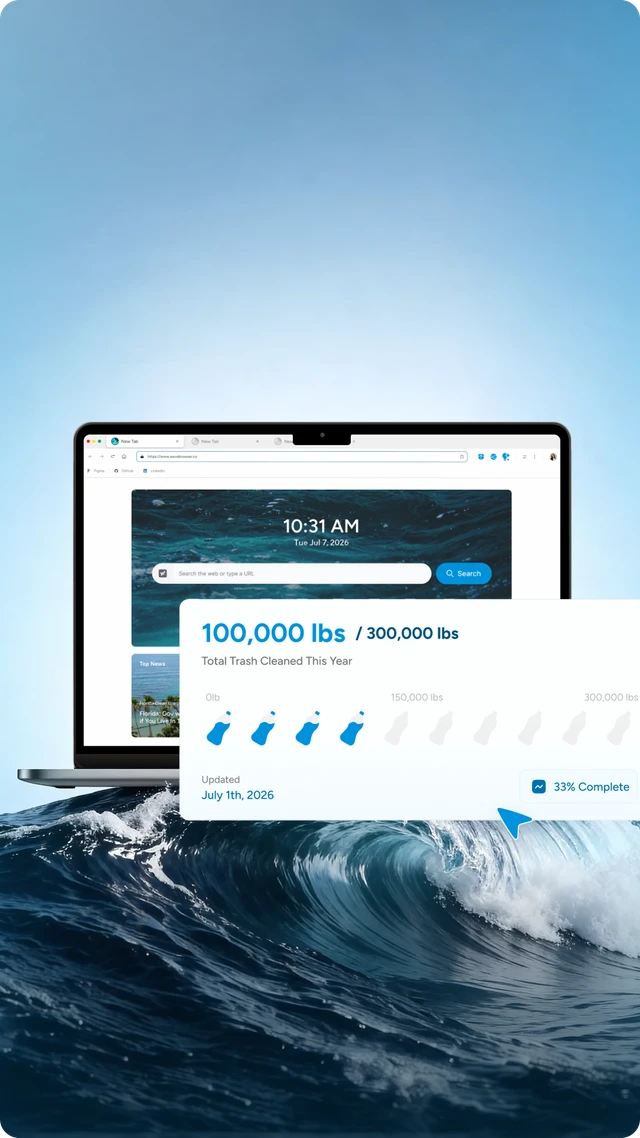
Wave Browser combines everyday browsing tools with an environmental mission connected to our partnership with 4ocean. A portion of our revenue helps fund 4ocean's removal of plastic and trash from our ocean, rivers, and coastlines worldwide. The Live Impact Tracker shows the partnership's cleanup progress and environmental milestones alongside the browsing experience.
As of April 15, 2026, Wave Browser had helped remove over 100,000 lbs of plastic and trash from our ocean, rivers, and coastlines worldwide. We have committed to support the removal of 300,000 lbs by 2028. The Live Impact Tracker shows cleanup progress and environmental milestones across the platforms where it is listed, while the blocking feature explains a separate desktop browsing control.
Frequently Asked Questions

Does ad and tracker blocking remove every advertisement?
Wave Browser blocks supported ads and trackers on Windows and macOS. A page may contain formats or services outside the feature's supported patterns, and websites can change how they load content.
Does blocking stop websites from knowing I visited?
Blocking changes how supported ads and trackers load in the browser. Websites and other network or account systems maintain their own records of activity.
Is ad and tracker blocking the same as Incognito Mode?
Incognito Mode keeps a session out of the browser's local history on the device. Ad and tracker blocking concerns supported content that loads in the page.
Is Wave Browser a VPN?
Blocking is a browser control for supported page content; a VPN is a separate network-routing service.
Can I assume the desktop feature works on Android or iPhone?
Desktop blocking is available on Windows and macOS. For mobile, use the current product page and the control shown on your device to check the platform-specific feature set.
Ad and tracker blocking is most useful when its scope stays clear: on Windows and macOS, it blocks supported ads and trackers while you browse. Combine it with the privacy control that answers your actual question, and keep the difference between page content, local history, site data, and network visibility in view.
Surf the Web, Save the Ocean. Download Wave Browser.