The modern web browser has become a central tool for how we work, communicate, and consume information. It’s no longer just a gateway to web pages: it shapes how we organize tasks, interact with content, and move through our daily routines online.
As a result, users now expect more than basic functionality—seeking greater control, efficiency, and a browsing experience that aligns with how they use the web every day.
While leading browsers still dominate in terms of browser market share, a growing number of users are exploring their options and looking for an alternative browser that offers a different approach to browsing. This shift reflects changing expectations around performance, customization, and how digital tools fit into everyday habits.
Wave Browser is part of this broader shift, positioning itself within a new generation of technology that rethinks how everyday browsing can be optimized for efficiency, usability, and impact.
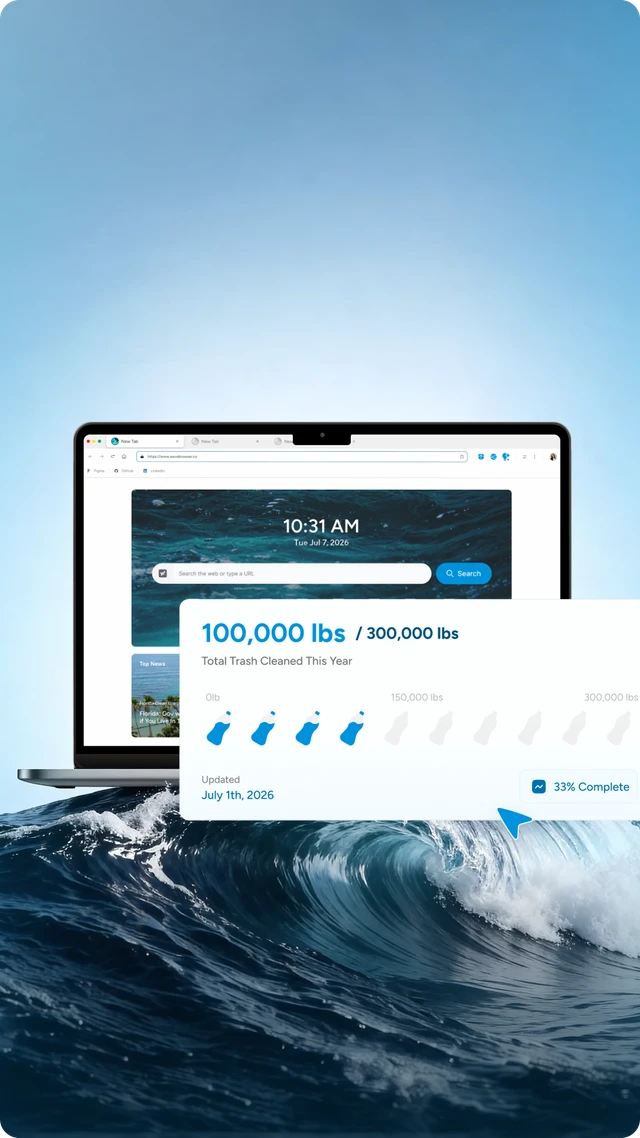
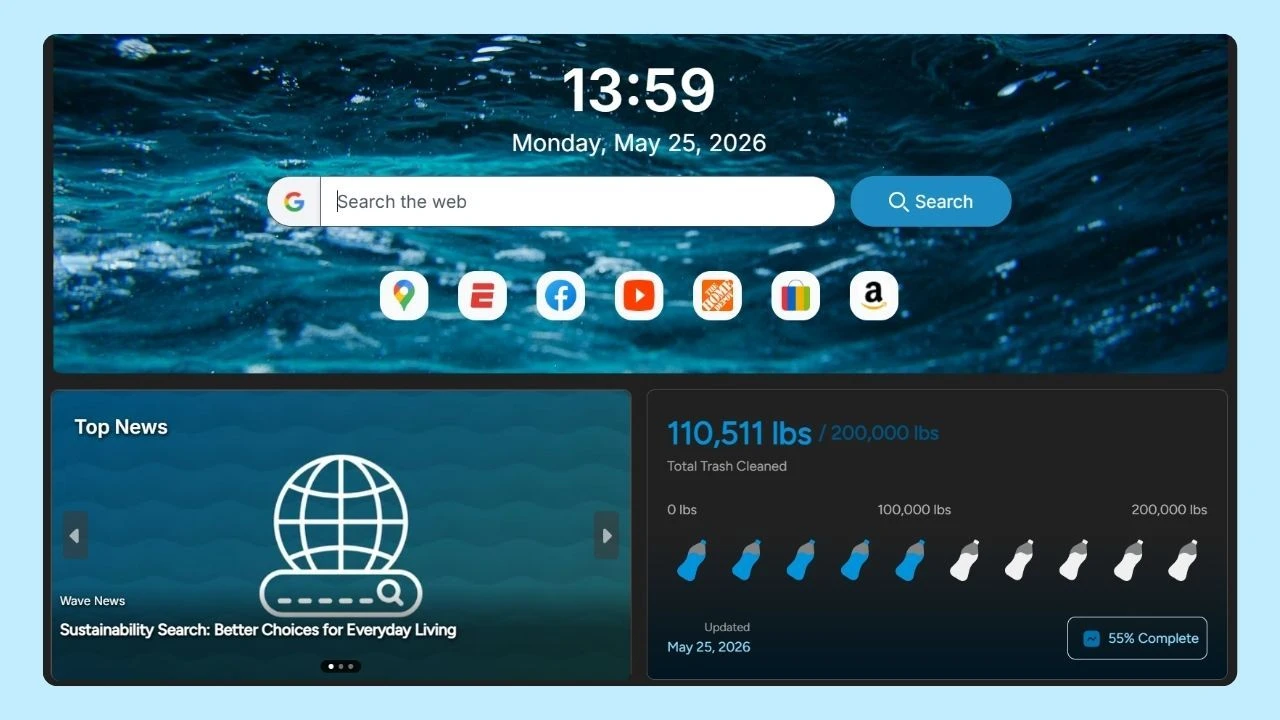
It is one of the few browsers with a mission baked into its DNA: to remove plastic and trash from our ocean. Through a partnership with 4ocean, a portion of Wave's revenue supports global cleanup efforts, powered by its users—so you can browse as you always do and leave the ocean better than you found it.
Why Look Beyond Major Browsers?
For a long time, solutions like Internet Explorer, Microsoft Edge, and other major browsers have shaped how we access the internet. These major browsers are deeply integrated with large ecosystem services or operating systems like Windows, which has helped them maintain dominance in the market share.
However, many users are now exploring alternatives as their expectations around browsing continue to evolve. They are increasingly focused on:
- Concerns about data usage and business model transparency
- A desire for built-in ad blocking and privacy tools
- Interest in open source software and customizable environments
- The need for better tab management and productivity features
When considering experimental or new browser alternatives, there are several pros and cons to keep in mind. Pros include access to innovative features, enhanced privacy controls, and a browsing experience tailored to specific preferences.
However, cons may involve potential stability issues, limited support or extensions, and security risks that established browsers have already addressed. Understanding these trade-offs helps users make informed choices about the browsers they use.
What Defines an Alternative Browser?
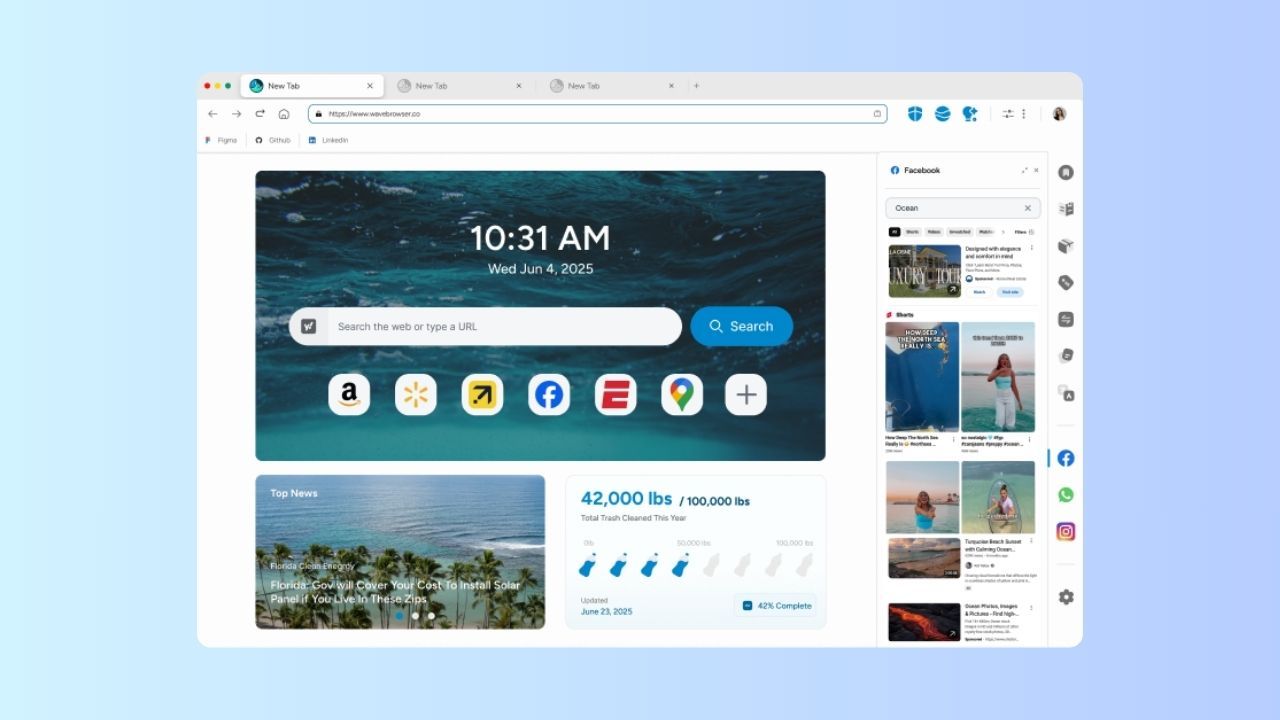
An alternative browser is any desktop browser or mobile browser that offers a different approach compared to the most popular options.
These alternatives often include:
- Built-in tools such as tab groups, mouse gestures, and advanced tab management for better organization and workflow
- A redesigned user interface that prioritizes clarity, speed, and productivity
- Greater flexibility in choosing a default search engine or customizing how web pages are loaded
- Support for Chrome extensions, combined with additional controls and customization options
- New approaches, including the emerging AI browser experience, designed to assist with search, content, and navigation
Many of the most popular browsers are developed by independent teams or dedicated companies focused on specific user needs—whether that’s privacy, performance, or a more tailored browsing experience.
Alongside Wave Browser, a few underrated browsers that most people don’t know about include Vivaldi, Brave, and Midori. These browsers offer unique features and privacy options, making them worth considering for those seeking something different from mainstream choices.
Popular Alternative Browsers
Alternative browsers are available across Android, iOS, macOS, and Windows, offering users more flexibility in how they access the web.
On mobile devices, options like Wave, Brave, Opera Web Browser, and Microsoft Edge provide different approaches to performance, privacy, and user experience, with Android allowing easy switching of the default browser.
On desktop systems, the range expands with options like Wave, Opera GX, and Pale Moon, each focusing on customization, efficiency, or unique features. Across all platforms, an alternative browser reflects a shift toward more personalized and intentional ways of navigating the web.
For those using older devices, there are lightweight browsers such as Midori, Opera Mini, and Pale Moon that work well and help optimize performance without requiring significant hardware resources.
Alternative Browsers for Android
On Android devices, users have access to a wide range of options beyond the default browser, offering more flexibility in features and experience.
Android allows users to easily switch their default browser, making it one of the most flexible environments for trying an alternative browser.
Wave Browser
The Android version comes with a built-in ad blocker designed to improve the overall user experience by reducing visual clutter and limiting unnecessary background requests. This helps pages load more cleanly while keeping your focus on the content that matters.
Brave
Known for strong privacy features, built-in ad blocking, and the Brave Rewards program. On Android, this can lead to faster loading times, reduced data usage, and more control over how ads and trackers are handled.
Opera
Includes a virtual private network (VPN) and data-saving tools, helping Android users manage connectivity and reduce data consumption—especially useful on mobile networks.
Microsoft Edge
Syncs across devices with a familiar interface and integration with Microsoft services, making it easier for Android users to access bookmarks, passwords, and tabs across different platforms.
Alternative Browsers for iOS
On iOS devices, the choices are more limited due to platform restrictions, but several alternative browsers still offer differentiated experiences.
Even though all solutions rely on Apple’s browser engine, differences in user interface, new features, and tool integration still shape the overall user experience.
Wave Browser
The iOS version brings a streamlined browsing experience with built-in tools designed for efficiency and ease of use. It emphasizes smooth navigation, allowing users to move between tabs and web pages with minimal friction.
For iPhone users, this means a cleaner, more responsive experience that fits naturally into daily use. At the same time, browsing activity contributes to a broader sustainability model, supporting ocean cleanup efforts through Wave’s partnership with 4ocean.
Opera
Offers a clean user interface with integrated tools and quick access to useful features like built-in messaging and news. On iOS, this helps users move between tasks more easily without relying on multiple apps, improving convenience and overall usability.
Microsoft Edge
Focuses on cross-device syncing and consistency, making it easier for iOS users to continue browsing across different devices. Features like synced tabs, passwords, and bookmarks support a more connected and seamless experience.
Brave
Maintains its privacy-first approach with built-in protections like ad and tracker blocking. On iOS, this can result in faster page loads, reduced background activity, and a more controlled browsing experience.
Alternative Browsers for Mac
Mac users often explore and research an alternative browser to improve productivity, customization, and control over their browsing environment.
These options provide greater control and customization, helping users shape a browsing experience that better fits how they work and navigate the web.
For users considering a switch, most modern browsers make it relatively easy to migrate bookmarks and settings, often providing import tools that guide you through transferring your important data from your previous browser.
Wave Browser
The Mac version combines a familiar browsing experience with built-in tools like a memory saver, and an energy saver—helping reduce clutter, manage system resources efficiently, and maintain smooth performance during heavy tab usage.
For Mac users who value both productivity and simplicity, these features support a more organized and responsive workflow. At the same time, everyday browsing contributes to verified ocean cleanup, connecting regular usage with real-world impact.
Brave
Balances performance with privacy by blocking ads and trackers by default, which can lead to faster page loading and reduced background activity. For Mac users, this means a cleaner interface, improved speed, and less strain on system resources during extended browsing sessions.
Opera GX
Adds advanced customization and resource management features, including controls for CPU and RAM usage. This can be especially useful for Mac users who multitask or run multiple applications, allowing them to keep browsing performance stable without affecting overall system performance.
Zen Browser
Focuses on minimalism and distraction-free browsing, offering a simplified interface that helps Mac users stay focused on tasks. Its clean design reduces visual noise and supports a more intentional, streamlined browsing experience.
The Future of Browsing
As the number of daily active users grows across platforms, the way people access and navigate the web continues to evolve. New ideas—like AI-powered tools, alternative search engines, and different monetization models—are reshaping what users expect from a browser.
No longer is there a single option that fits everyone. Instead, users are choosing from a diverse ecosystem of solutions, each designed for different priorities. These alternatives reflect a shift toward more personalized and efficient ways of navigating the web.
Wave Browser fits into this evolving landscape by aligning everyday browsing with a more thoughtful and efficient model of internet use. As users explore alternatives beyond the most widely used options, the focus is gradually shifting from default choices to experiences that better match individual needs and values.
In a world where online activity is constant, choosing how we access the web is no longer just a technical decision; it’s part of how we shape our daily digital experience.