Waiting for an important document, an online shopping order, or a business shipment can be stressful without clear updates. Knowing how to track a FedEx shipment gives you clearer updates and fewer surprises.
Today, many people track shipments directly from their desktop or mobile device using web browsers, official carrier apps, or built-in tools that streamline everyday tasks.
Browsers such as Wave Browser include integrated package tracking features that allow users to monitor deliveries from major carriers, including FedEx, without constantly switching between multiple tabs or platforms.
This guide explains how FedEx package tracking works, how to use your tracking number, and how to access detailed updates on your delivery, including advanced tracking features.
What Is a FedEx Tracking Number?
Every FedEx package is assigned a unique tracking number. This number acts as a unique code that allows you to monitor the status of your shipments from pickup to final destination.
Depending on the type of shipment, you may see:
- A standard FedEx tracking package number
- A FedEx door tag
- A door tag number
- An account number
- A transportation control number
- A tracking ID linked to reference numbers
These identifiers allow the tool to pinpoint the current location of your package within the FedEx system.
How Shipping Labels and Tracking Work Together
Every shipment begins with a shipping label. The label contains:
- The tracking number
- Barcodes for scanning
- Delivery address
- Service type (FedEx Express, FedEx Ground, etc.)
Each scan updates the tracking system, allowing customers to view the current location of your package at each transit stage.
Also, FedEx tracking status messages provide updates on your package’s journey. For example:
'In Transit' means your shipment is moving through the network toward its destination.
'Out for Delivery' indicates the package is on a vehicle and should arrive that day.
'Delivery Exception' means there was an issue, such as the recipient not being available.
Each message helps you understand where your package is and whether it will arrive on the estimated delivery date or scheduled delivery date.
Tracking Without a Reference Number
If you don’t have your tracking number, you may still track a shipment using:
- Your FedEx account
- An account number
- Reference numbers
- A transportation control number
Contacting customer service or support can also help locate your shipment.
How Do I Track My FedEx Package?
To track your package, visit the FedEx tracking webpage and enter your tracking number. You can also use the FedEx mobile app for tracking updates. Additionally, you may receive tracking notifications via email or SMS, providing real-time status on your package's journey to its destination.
Track via the FedEx Website
The most common method is through the FedEx website. Simply:
- Enter your FedEx tracking number
- Click search
- View real-time shipment details
The tracking page provides:
- Current shipment status
- Estimated delivery date
- Estimated delivery time window
- Shipment history
- Updates on delays
- The scheduled delivery date
- The final destination
This web-based system works across most web browsers, making it easy to track shipments from a desktop or laptop.
Use the FedEx Mobile App
For real-time updates on the go, the FedEx mobile version offers a more personalized experience. Through the mobile app, you can:
- Track shipments instantly
- Get push notifications
- Access picture proof of delivery
- Adjust delivery preferences
- Save multiple tracking numbers
- Manage shipments under your FedEx account
The FedEx mobile app is especially helpful for individuals managing both personal and business deliveries.
Track via Wave Browser
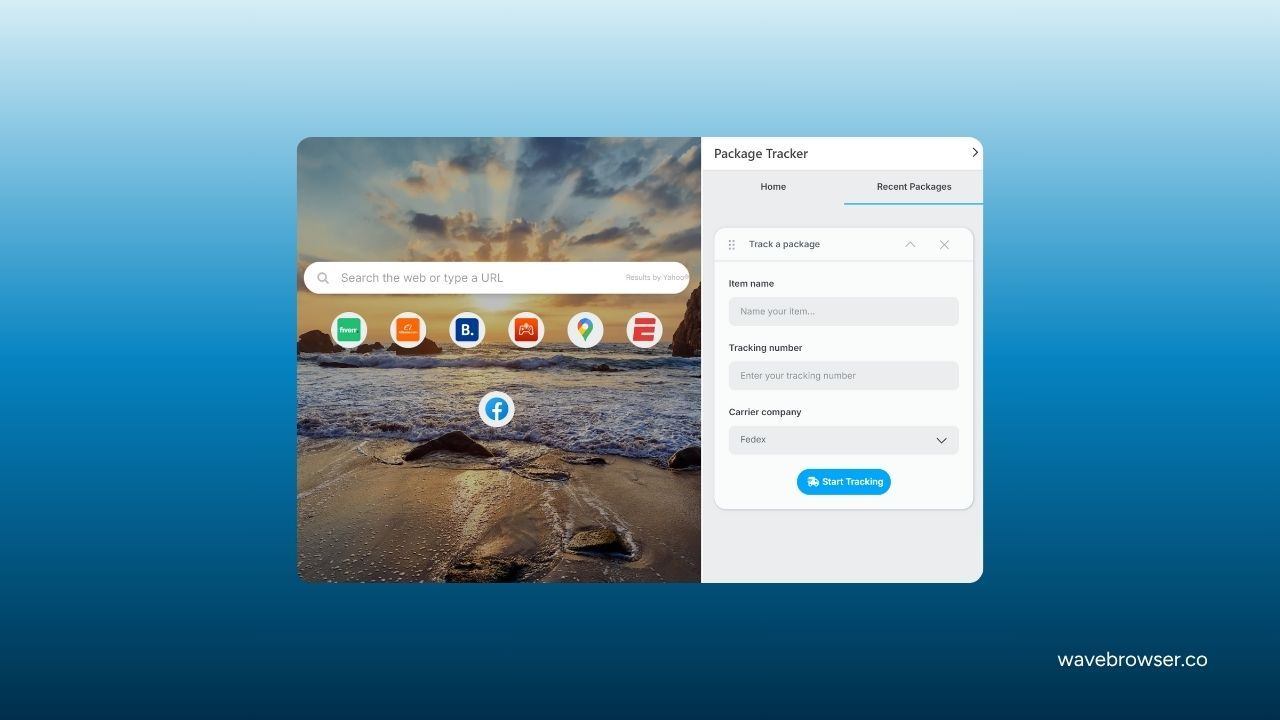
In addition to using the FedEx website or the FedEx mobile app, shipments can also be monitored through built-in browser tools.
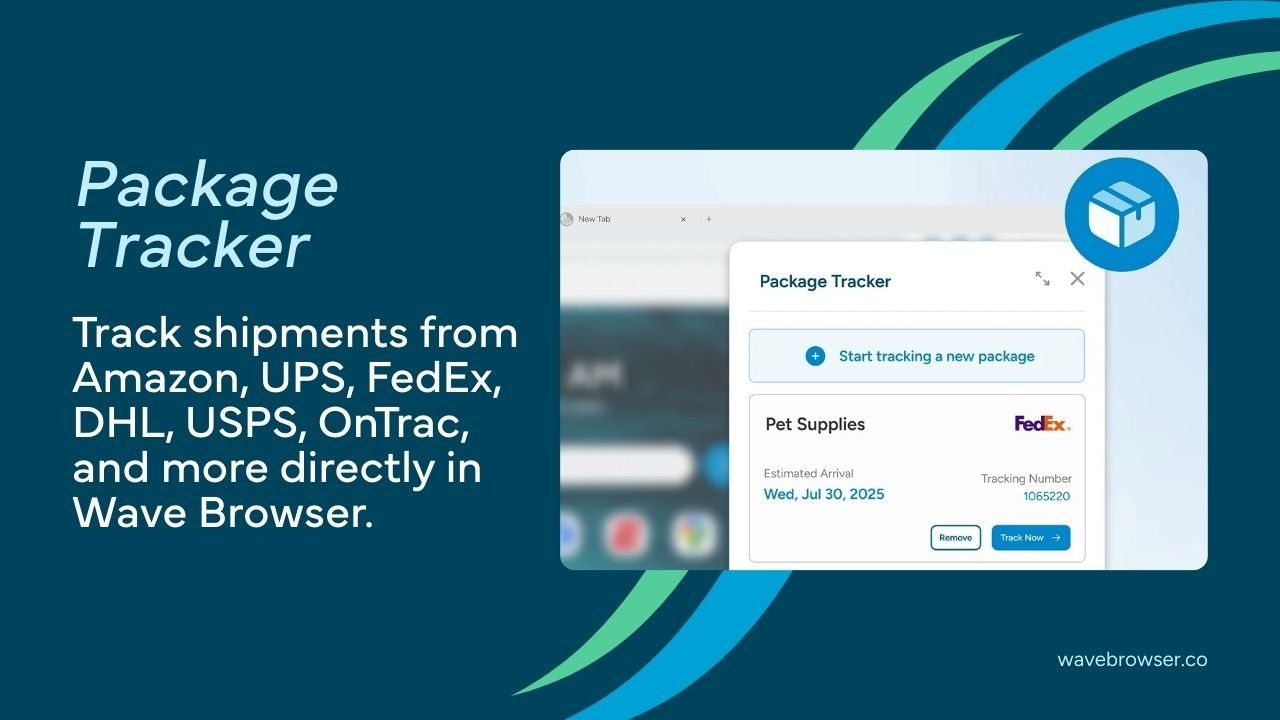
Wave Browser includes an integrated package tracking feature that allows users to enter a FedEx tracking package number directly within the browser interface. Once entered, the online tracking tool displays the latest shipment updates, including the location of your package, estimated delivery date, and delivery time details.
This setup can make it easier to check the status of your shipments while managing other online tasks, without needing to open multiple tabs or switch between different platforms.
What Happens If You Miss a Delivery?
Many customers confuse delivery time, estimated delivery date, and estimated delivery time window, but each term has a specific meaning.
Here’s the difference:
- Estimated delivery date: The expected calendar day your shipment is projected to arrive.
- Scheduled delivery date: A confirmed delivery date selected after a reschedule or change request.
- Estimated delivery time window: A specific timeframe during the day when delivery is expected, such as 1:00 PM to 5:00 PM.
These estimates vary depending on the shipping service type, route conditions, weather, and other operational factors.
If a delivery attempt is unsuccessful — for example, if no one is available to receive the package — the courier may leave a FedEx door tag at your address. The tag typically includes:
- A door tag number
- Instructions for redelivery
- Pickup information
You can enter the door tag number into the FedEx tracking tool to schedule a new delivery attempt or arrange pickup at a nearby FedEx location.
Global Shipping and International Deliveries
FedEx plays a major role in global shipping and international courier services. Tracking works across borders, although delivery time may vary due to customs processes.
International tracking updates may include:
- Customs clearance status
- Transit country information
- Documentation updates
These details help ensure smooth arrival at the final destination.
But, if tracking information does not update:
- Wait up to 24 hours after receiving your tracking number.
- Double-check the unique code.
- Confirm the shipping label was scanned.
- Contact FedEx customer support if delays continue.
Operational delays, weather events, or transportation changes can affect the estimated delivery date.
Comparing FedEx Tracking with Other Tracking Services
Online shoppers often track packages from different retailers and courier services, including Amazon tracking tools, options to track Temu orders, and regional services like LBC tracking.
While each courier system operates differently, FedEx tracking stands out for its integration of FedEx Insight, detailed delivery scans, and advanced shipment visibility.
Instead of relying solely on retailer notifications or checking order status pages, FedEx tracking provides direct access to shipping milestones through the carrier’s system. This allows customers to see real-time updates, estimated delivery details, and proof of delivery information in one place.
Managing Your FedEx Tracking Package with Confidence
Using FedEx tracking package tools provides greater visibility and control over shipments from pickup to final destination.
By entering your tracking number on the FedEx website, through the FedEx mobile app, or within a dedicated tool, you can monitor the location of your package, review the estimated delivery date, and access proof of delivery information.
For those who prefer handling deliveries alongside everyday online activity, Wave Browser includes a built-in package tracking feature that helps consolidate updates from carriers like FedEx. Instead of navigating multiple tabs or platforms, shipment details can be checked directly within the browsing experience.
With advanced options, flexible delivery management tools, and real-time updates, staying informed about your shipment becomes simpler and more organized, bringing greater confidence and peace of mind throughout the delivery process.