We don’t usually think about our web browser until something slows us down. A tab freezes. The fan on your laptop starts spinning. Your battery drops faster than expected. Suddenly, the tool you rely on all day feels like it’s working against you.
That’s where the idea of an efficient browser comes in. Efficiency isn’t just about speed. It’s about how a browser behaves over time... how it handles multiple tabs, how it manages your device’s resources, and how it supports the way you actually use the web. And increasingly, it’s about doing all of that without unnecessary complexity.
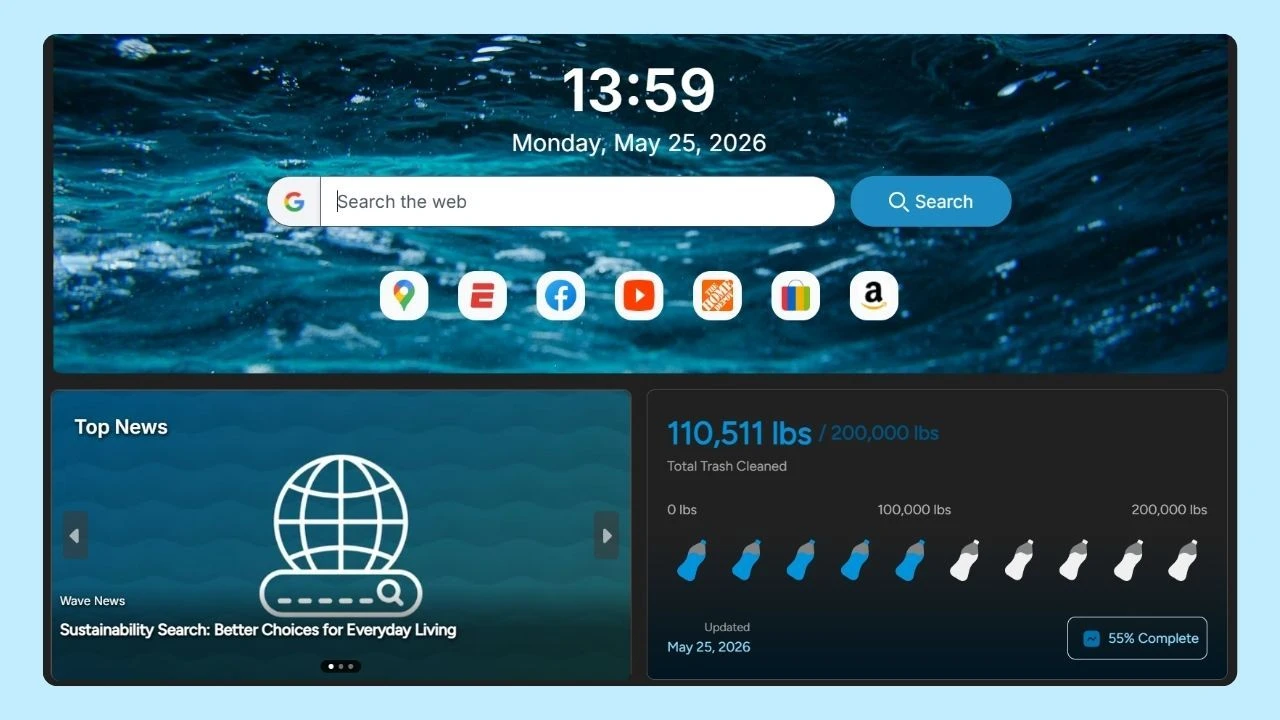
Wave Browser, built on the Chromium-based technology, is part of a newer generation of browsers designed with that balance in mind, focusing on performance, usability, and a more thoughtful approach to how browsing fits into everyday life.
What Does “Efficient Browser” Really Mean?
At a surface level, people often associate efficiency with browsing speed. But in reality, speed is only one part of the equation.
The most efficient browser should:
- Use the least resources possible without sacrificing performance
- Maintain consistent speed across multiple web pages
- Support heavy workflows (like many tabs or web apps)
- Preserve battery life on laptops and mobile devices
- Reduce unnecessary background activity
- Provide a clean, stable browsing experience over time
In practical terms, efficiency is about sustainability: of your device’s performance, your time, and your attention.
Studies have shown that modern browsers can consume several gigabytes of RAM when multiple tabs are open, especially when those tabs include media-heavy content or dynamic web applications. For many users, this leads to slower systems, reduced battery life, and frequent interruptions.
The most efficient browser addresses this not by limiting what you can do, but by managing how those tasks are handled behind the scenes.
The Hidden Cost of Modern Browsing
Today’s web is more powerful than ever. Web applications now rival desktop software. Social media platforms auto-load videos. Even simple web pages can run dozens of scripts in the background.
All of this has a cost.
- A single tab can consume hundreds of megabytes of memory
- Background processes continue running even when tabs aren’t active
- Ads and trackers increase load times and resource usage
- Poorly optimized pages drain battery and slow down performance
For users who keep 10, 20, or even 50 tabs open, these small inefficiencies add up quickly.
This is why focusing only on the “fastest web browser” misses the bigger picture. A great browser might load a page quickly, but still struggle with long-term efficiency.
In 2026, the most popular web browsers—such as Wave and other major browsers—all continue to focus on optimizing these aspects of efficiency. The differences are subtle, but users may find their ideal browser based on a balance of speed, memory use, tab handling, and compatibility with their devices.
What Are the Core Features of an Efficient Browser?
To understand what sets an efficient browser apart, it helps to break it down into the features that actually make a difference.
1. Smart Resource Management
The most efficient browser actively manages how memory and CPU are used.
Instead of treating every tab equally, it prioritizes active tabs and reduces the resources allocated to inactive ones. This prevents unnecessary strain on your system and keeps performance stable, even during heavy use.
Wave, for example, includes browser settings designed to reduce memory usage during long browsing sessions. This means you can keep multiple tabs open without your device slowing to a crawl.
2. Optimized Handling of Tabs
Tabs are central to how we browse today, and so is access to your browsing history when you need to revisit content quickly. But they’re also one of the biggest sources of inefficiency.
The most efficient browser should support:
- Tab grouping for better organization
- Background tab optimization
- Fast switching between tabs
- Minimal memory usage per tab
When these features are implemented well, users can multitask freely without worrying about performance drops. This is where a more thoughtful, streamlined browser can feel like a better alternative to traditional tab-heavy experiences.
3. Built-In Ad Blocker
Advertising is one of the biggest contributors to slow web pages and high resource usage. A built-in ad blocker improves efficiency in several ways:
- Reduces page load time
- Lowers memory and CPU usage
- Minimizes background scripts
- Improves overall browsing experience
By removing unnecessary elements from web pages, an ad blocker doesn’t just make things cleaner and improve privacy protection, it also makes them faster and more efficient.
4. Energy Efficiency and Battery Life
Efficiency isn’t just about fast speeds, it’s also about how well your device keeps up over time.
Browsers play a major role in battery consumption, especially on laptops. High CPU usage, constant background activity, and poorly optimized tabs can quickly drain power.
The most efficient browser reduces this impact by:
- Limiting background processes
- Optimizing how web pages are rendered
- Reducing unnecessary animations and scripts
The result is better battery life and a smoother experience throughout the day.
5. Privacy Tools and Reduced Tracking
Tracking scripts and data collection don’t just raise privacy concerns, they also affect performance. Every tracker adds extra requests, extra processing, and extra load time.
Efficient browsers include privacy tools that:
- Limit unnecessary data collection
- Block trackers by default
- Reduce the amount of data transferred per page
This improves both speed and efficiency, while also giving users more control over their data.
6. Clean and Practical Additional Features
Many browsers try to stand out by adding more and more features, but too many extras can actually reduce efficiency.
The key is integration.
Instead of relying on dozens of extensions, an efficient browser includes built-in tools that are:
- Lightweight
- Easy to access
- Designed for real use cases
Wave Browser takes this approach by offering tools like a reading list, built-in converters, and quick-access to extensions, all integrated directly into the browser without adding unnecessary overhead.
Wave Browser’s Approach to Efficiency
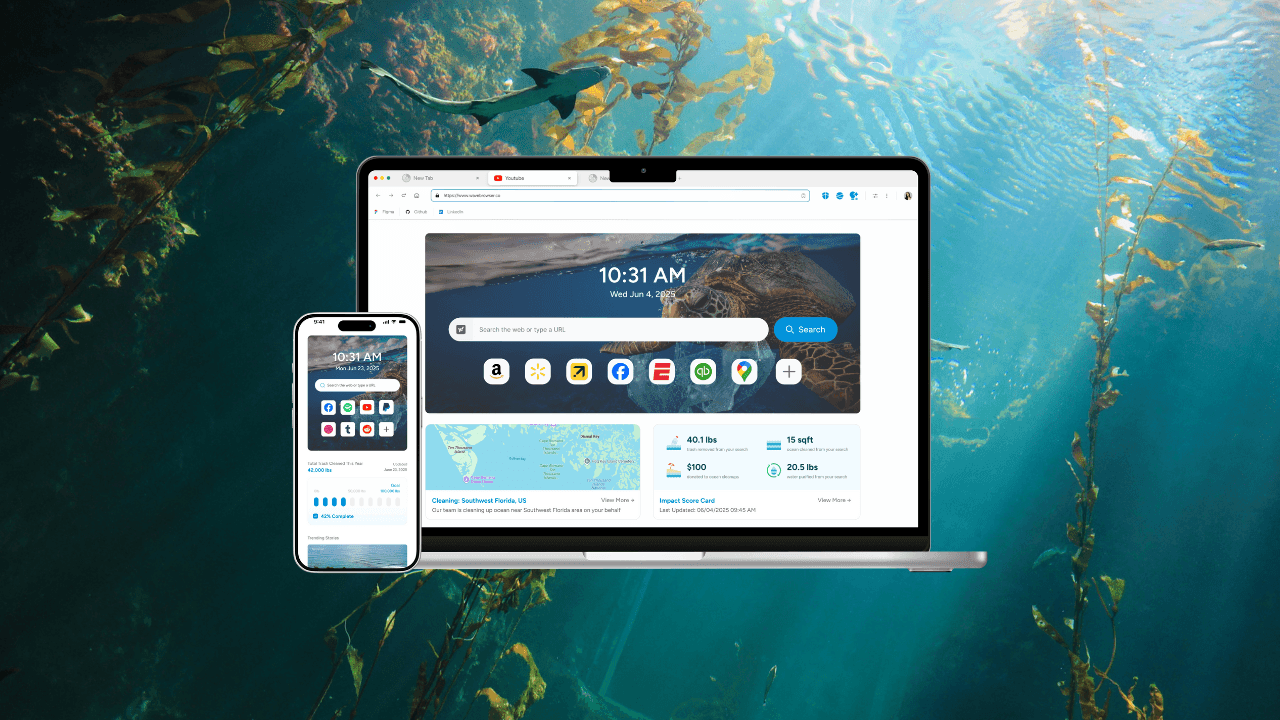
Wave Browser is designed around the idea that browsing should feel natural, not demanding. Instead of focusing only on raw speed or feature lists, it takes a more balanced approach:
- Tools that support productivity without adding complexity
- Features that help manage resources during heavy usage
- Built-in systems that reduce unnecessary load from ads and background activity
This creates a browsing experience that adapts to real usage patterns.
You can open multiple tabs, use web applications, check social media, and move between tasks without constantly thinking about performance.
At the same time, Wave integrates features that improve everyday usability, so you spend less time managing your browser and more time actually using it.
Why Efficiency Matters More Than Ever?
The way we use the web has changed.
We’re no longer just browsing. We’re working, communicating, streaming, and managing tasks online all within the browser.
This shift means that inefficiency has a bigger impact than before:
- Slower performance affects productivity
- High memory usage limits multitasking
- Poor battery optimization interrupts workflows
- Cluttered interfaces reduce focus
An efficient browser helps remove these friction points. It doesn’t just make things faster; it makes them smoother.
What Defines the Most Efficient Browser?
The idea of the “best browser” is evolving.
It’s no longer just about which one is the fastest or which one scores highest in synthetic benchmarks. What matters now is how well a browser fits into your daily life: how it manages resources, supports multitasking, and delivers a consistent experience over time.
That’s where efficiency becomes the defining factor.
Wave Browser can be a best choice for users looking for a more efficient, balanced browsing experience.
It’s built to handle the realities of modern browsing, including multiple tab groups, and constant online activity, while keeping performance steady with built-in security features, making it a great choice for users looking for a simple experience.
If you’re looking for an option that doesn’t just keep up, but actually works with you, efficiency is the place to start.