Every time you browse the web, you're sharing information with websites, online services, and web applications.
That's why security has become just as important as speed or convenience. Choosing a secure option with built-in security features can help reduce unnecessary data collection, improve safe browsing, and give you more control over your online privacy.
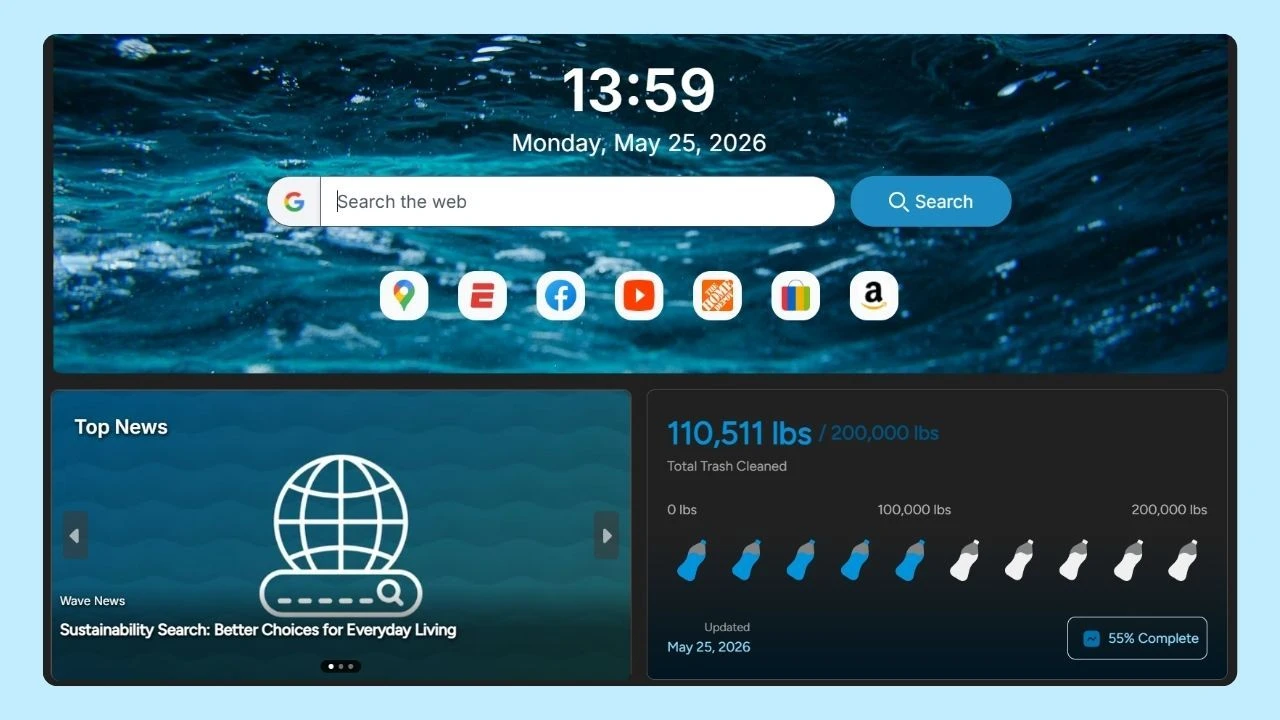
For example, Wave Browser includes several built-in security tools designed to help users browse more safely.
Built on Chromium, Wave includes Safe Browsing protection against dangerous websites, downloads, and extensions, ad blocking on supported platforms, secure connection warnings, password breach alerts, private browsing mode, V8 security protections, and AppEsteem Certification.
Together, these security features help provide a safer browsing experience while giving users greater control over their online security.
What Are Secure Browser Tools?
Secure browser tools are built-in or optional features that help protect your personal data, user data, and browsing sessions while you use the internet. They reduce security risks, strengthen data protection, and help defend against online threats without requiring additional software.
Common examples include:
- Tracking protection
- Private browsing mode
- Cookie controls
- Password management
- Security warnings
- Extensions with security features
- Safe download protection
Many modern browsers now include these tools by default, although the level of protection varies.
Why Browser Security Matters
Unfortunately, malicious websites, phishing attempts, malicious scripts, and malicious code can compromise sensitive data if users are not adequately protected. That's why many people rely on cybersecurity tools to help protect their online activity.
At the same time, many websites collect information through cookies, advertising networks, and digital fingerprinting, making online privacy an increasing concern.
Secure browser tools combine cybersecurity and privacy features to help reduce these risks by:
- Blocking harmful websites
- Warning about unsafe downloads
- Limiting unnecessary web tracking
- Giving users more control over default settings
- Reducing unwanted data collection
Key Security Features to Look For
When comparing options, look for these secure browser tools.
Safe Browsing Protection
Safe browsing tools warn users before visiting dangerous web pages known to distribute malware, phishing scams, or deceptive content. Many browsers, including Wave, perform these checks in real time to help prevent accidental visits to unsafe sites.
When combined with ad blocking on supported platforms, these protections can also reduce exposure to malicious advertisements and unwanted web content, helping create a safer and more focused browsing experience.
Tracking Protection
Tracking is the practice of collecting information about your online activity, such as the websites you visit, the links you click, and your browsing habits. Advertisers and other third parties often use this data to build profiles, personalize ads, and measure user behavior across multiple websites.
Tracking protection helps limit how advertisers and third parties monitor your online activity. By reducing web tracking, browsers can strengthen online privacy, reduce unnecessary data collection, and improve the overall user experience.
Private Browsing Mode
Private browsing mode creates a temporary browsing session that is separate from your regular browser activity. When you close all private browsing windows, your browser doesn't save your local browsing history, cookies, site data, or temporary files from that session on your device. This can be useful when using a shared or public computer or when you don't want your recent activity stored locally.
However, private browsing mode does not make you anonymous online.
Websites can still see your IP address, your internet service provider can still monitor your internet traffic, and organizations such as employers or schools may still be able to track your online activity if you're using their network.
Browser Fingerprinting Protection
Browser fingerprinting is a tracking technique that identifies your device based on a unique combination of information your browser automatically share with websites.
This may include your software version, operating system, installed fonts, screen resolution, language settings, time zone, and other technical details. Unlike cookies, browser fingerprinting does not rely on files stored on your device, making it more difficult to detect or block.
Some secure browser tools include privacy protections that help reduce digital fingerprinting by limiting the amount of information websites can access or making your browser appear less unique.
While these measures cannot eliminate fingerprinting entirely, they can make it more difficult for advertisers and third parties to track your online activity across different websites.
Good Privacy Settings
Privacy settings are one of the most important secure browser tools, giving users control over how websites access and collect information during browsing sessions. Adjusting these settings can help reduce unnecessary data collection and strengthen your online privacy.
Common privacy controls include:
- Cookie permissions
- Tracker blocking
- Site permissions
- Camera and microphone access
- Location sharing
- Notification permissions
- Password management
The best privacy settings depend on your habits and personal preferences. Taking a few minutes to review your browser's configuration can help you find the right balance between convenience, functionality, and privacy.
Search Engine Privacy
Your search engine plays an important role in protecting your online privacy. Many browsers let you choose your default search engine, allowing you to select one that best fits your privacy preferences. Choosing an option that aligns with your privacy needs can help improve both your experience and your overall level of protection.
Some search providers collect large amounts of browsing and search data, while others prioritize private search by limiting data collection and reducing personalized tracking.
Password Management
Many web browsers include built-in password management tools that help users create, store, and autofill strong passwords for websites and web applications. Some browsers can also notify you if a saved password has been exposed in a known data breach, allowing you to update compromised credentials more quickly.
For an even higher level of protection, consider enabling multi-factor authentication whenever it's available.
Safe Downloads
Safe download protection helps prevent you from downloading files that may contain malicious code, malware, or other harmful software. Before a file is downloaded, the browser checks whether it has been identified as dangerous and warns you if it could pose a security risk.
While this feature adds an important layer of protection, it's still a good idea to download files only from trusted websites and verify unfamiliar sources.
Safe Browser Extensions
Browser extensions are powerful secure browser tools, but it's important to install only those from trusted developers.
Some popular browser extensions include uBlock Origin for blocking ads and trackers, Bitwarden or 1Password for secure password management, Privacy Badger for blocking invisible trackers, and DuckDuckGo Privacy Essentials for enhancing privacy while you browse.
Browser Extensions: Helpful or Risky?
A browser extension can improve productivity, block ads, or add new functionality. However, poorly designed or malicious extensions can also collect user data, display unwanted advertisements, or introduce security vulnerabilities.
Before installing an extension, always review its permissions, download it only from trusted sources such as the Chrome Web Store, remove extensions you no longer use, and keep the ones you use up to date.
Using fewer, well-maintained extensions helps reduce security risks and can improve your experience by avoiding unnecessary resource usage that may lead to slower browsing speeds.
Choosing the Right Secure Browser

The right browser depends on how you use the web. If you primarily browse news sites, social media, stream videos, or shop online, built-in privacy controls and safe browsing protections may provide the level of security you need.
However, if you use your browser for online banking, access financial accounts, sign in to business systems, or handle other sensitive data, choosing an option with more advanced security features becomes even more important.
When comparing options, look for key features such as:
- Safe Browsing protection
- Built-in ad blocker
- Strong tracking protection
- Flexible privacy settings
- Secure access technologies
- Regular security updates
- Reliable security features
- Transparent privacy practices
Browser security isn't defined by a single feature. It comes from the combination of tools that help protect your personal data, reduce unnecessary data collection, and give you more control over your online activity.
That's where Wave Browser stands out.
Built on Chromium, it combines productivity with security features designed to support safe browsing, while also contributing to environmental efforts through its partnership with 4ocean.
Together, these features help create a safer browsing experience, giving you greater control over your privacy and security while supporting a cleaner planet every time you browse.