Artificial intelligence is changing how people find information, solve problems, and develop new skills. Rather than scrolling through pages of search results, many users now turn to conversational tools that can provide direct explanations, summaries, and recommendations in seconds.
These platforms can support a wide range of tasks, from answering everyday questions and generating content ideas to simplifying research, exploring complex topics, and assisting with coding projects. As the technology continues to improve, more people are incorporating it into their daily workflows to save time and make better-informed decisions.
Wave Browser's built-in AI Assistant brings this experience directly into your browsing workflow, allowing you to ask AI questions, brainstorm ideas, and receive real-time assistance without opening a separate application.
In this guide, we'll explore how AI chat tools work, why they've become so popular, and practical ways to get more accurate and useful responses from them.
What Does It Mean to Ask AI Questions?
When people ask AI questions, they interact with an artificial intelligence system using natural language rather than traditional keyword-based searches.
Instead of typing a few keywords into a search engine, users can ask complete questions such as:
- "What are the key points of this article?"
- "How can I improve my time management?"
- "Explain machine learning in simple language."
- "Give me content ideas for blog posts."
- "Help me understand this research paper."
Then, the system analyzes the request and generates a response designed to provide relevant and useful information.
Can AI Answer Any Question?
Today, there are several AI chat platforms that can answer questions, generate content, summarize information, and help with everyday tasks.
Some of the most widely used include:
- ChatGPT by OpenAI: A versatile AI assistant for writing, brainstorming, coding, learning, and more.
- Claude by Anthropic: Known for handling long documents and providing detailed, conversational responses.
- Google Gemini: Google's AI assistant that integrates with Search and other Google services.
- Microsoft Copilot: An AI assistant built into Microsoft products like Windows, Edge, and Microsoft 365 to help with work, research, and productivity.
While each platform has its own strengths, they all use natural language processing to understand questions and generate human-like responses.
These tools can answer a wide variety of questions, from explaining concepts and solving problems to generating ideas and summarizing information. However, they can't answer every question perfectly.
They may produce incorrect, incomplete, or outdated information, especially when a topic requires real-time data or specialized expertise. For medical, legal, financial, or other high-stakes topics, always verify AI-generated information with trusted sources or qualified professionals.
Why More People Are Using AI Chatbots?
AI chatbots have become increasingly popular because they provide a faster and more conversational way to access information. Instead of opening multiple websites, comparing sources, and searching for the right answer, users can often get useful information within seconds.
One of the biggest advantages is flexibility. You can ask AI questions about almost any topic, from simple everyday concerns to highly technical subjects, and receive responses tailored to your request. This makes AI a valuable tool for problem-solving, creativity, and productivity.
Some common benefits include:
Quick Answers
Instead of reviewing dozens of search results, users can receive concise explanations and summaries almost instantly. This can be especially helpful when looking for definitions, troubleshooting common issues, or understanding a new concept.
For example, you can ask:
- "Explain blockchain technology."
- "How does machine learning work?"
- "What is cloud computing?"
The AI can adapt explanations based on your level of knowledge.
Help With Complex Topics
AI can break down technical subjects, academic concepts, and industry-specific information into simple language. It can also explain the same topic in different ways, making it easier for users to learn at their own pace.
This can be particularly useful for students, professionals, and developers exploring AI for coding, programming concepts, debugging techniques, or unfamiliar technologies.
Beyond education, many people are discovering ChatGPT uncommon uses, such as translating complex reports into plain language, generating study guides, creating project summaries, and turning technical information into actionable insights.
Content Creation Support
Writers, marketers, students, and creators often use AI tools to generate content ideas, create outlines, brainstorm new angles, and refine their work. AI can help overcome creative blocks and speed up the early stages of content creation.
Content creators frequently use it for:
- Blog post ideas
- Headline suggestions
- Social media content
- Outline creation
- Creative writing exercises
Research Assistance
Reviewing large amounts of information can be time-consuming. AI can summarize research papers, highlight key points, compare sources, and help users quickly understand unfamiliar topics before diving deeper into their research.
Everyday Problem Solving
Many people use AI assistants throughout their daily lives. From planning trips and organizing schedules to finding recipes or making purchasing decisions, AI can provide guidance and suggestions that help users make better decisions more efficiently.
How to Get Better Results When You Ask AI Questions
Be Specific
The more specific your question, the easier it is for AI to understand your goal and provide relevant information.
Instead of asking:
"Tell me about marketing."
Try:
"What are the most effective digital marketing strategies for a local fitness studio with a limited advertising budget?"
Or instead of:
"How do I start coding?"
Ask:
"What are the best resources for learning Python if I want to become a data analyst?"
Specific questions provide context, which often leads to more accurate answers and practical recommendations.
Use Detailed Prompts
Detailed prompts help the AI understand exactly what you're trying to accomplish.
Instead of writing:
"Write a blog post."
Try:
"Write an outline for a 1,500-word blog post about remote work productivity for small business owners. Include key sections, statistics to research, and actionable tips."
Or instead of:
"Give me travel advice."
Try:
"Create a five-day itinerary for a first-time visitor to Tokyo interested in food, technology, and cultural attractions."
Adding details about your audience, goals, and preferences typically produces better results than broad requests.
Ask Follow-Up Questions
One of the biggest advantages of AI chat is the ability to continue a conversation and refine the information you receive.
For example, after asking:
"What are the benefits of solar energy?"
You can follow up with:
- "Can you explain that in simpler language?"
- "How does this compare to wind energy?"
- "What are the disadvantages?"
- "Can you give real-world examples?"
You can also ask the AI to expand on specific sections, provide additional examples, or focus on a particular topic. This back-and-forth process often leads to more useful and precise answers than a single question.
Request Different Formats
Sometimes the information you need is correct, but the format isn't the easiest to understand. Many AI tools can present information in different ways, including:
- Summaries
- Bullet points
- Tables
- Checklists
- Step-by-step instructions
- Study guides
- Comparison charts
Instead of asking:
"Explain project management."
You could ask:
"Compare Agile and Waterfall project management in a table."
Or:
"Create a step-by-step checklist for launching a small business website."
Changing the format can make complex information easier to understand, share, and apply in real-world situations.
How Wave Browser Makes Asking AI Questions Easier
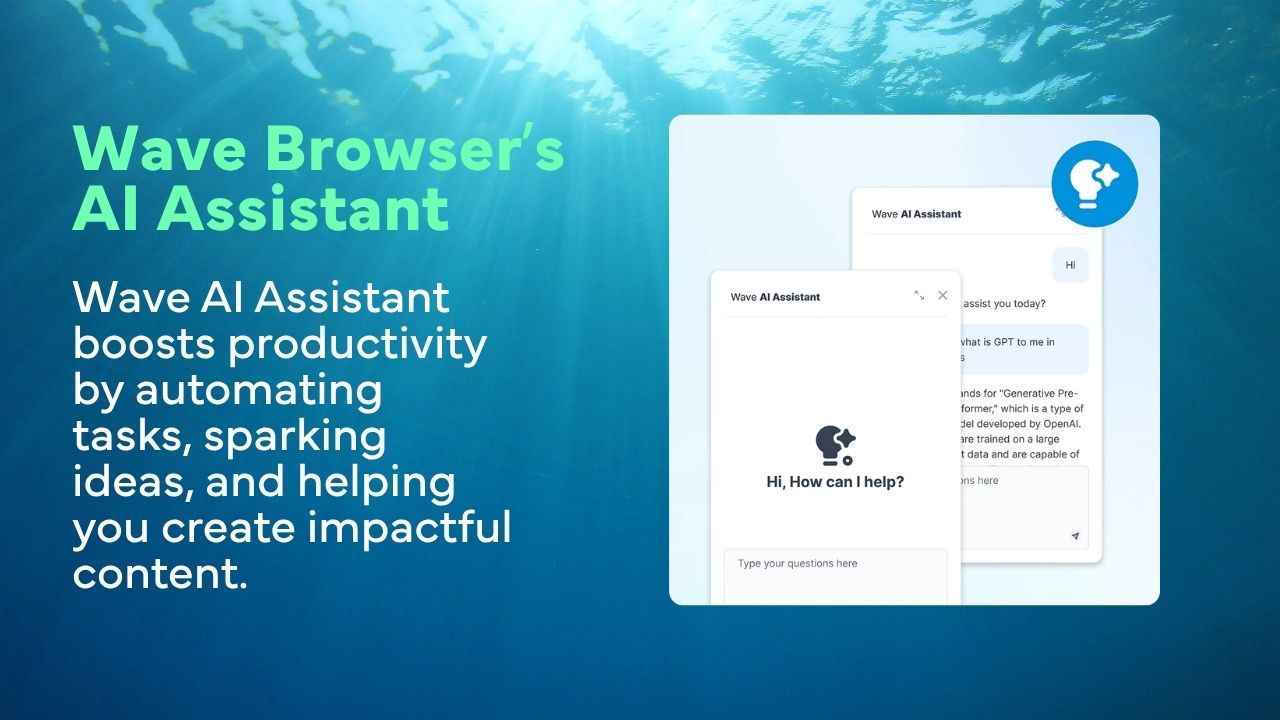
As AI becomes a larger part of daily workflows, many users are looking for ways to access these capabilities without constantly switching between tabs and applications.
Wave Browser combines the convenience of an AI browser with productivity-focused tools that help users research, learn, and multitask more efficiently. Its built-in AI Assistant allows users to ask questions, explore new topics, summarize information, generate content ideas, and receive quick answers directly within their browsing experience.
Additional features such as split screen, notes & reminders, translate tool, bookmarks, reading lists, and sidebar apps help keep resources organized while using the internet. Instead of jumping between multiple tools, users can access information and AI-powered assistance from a single workspace.