Artificial intelligence is no longer just a separate tool you open in a tab. The rise of AI-powered browsers signals a clear shift: AI is becoming part of how we navigate the internet itself.
While many people still use ChatGPT inside a familiar web browser, others are seeking more integrated solutions that combine browsing and AI into one seamless, streamlined experience.
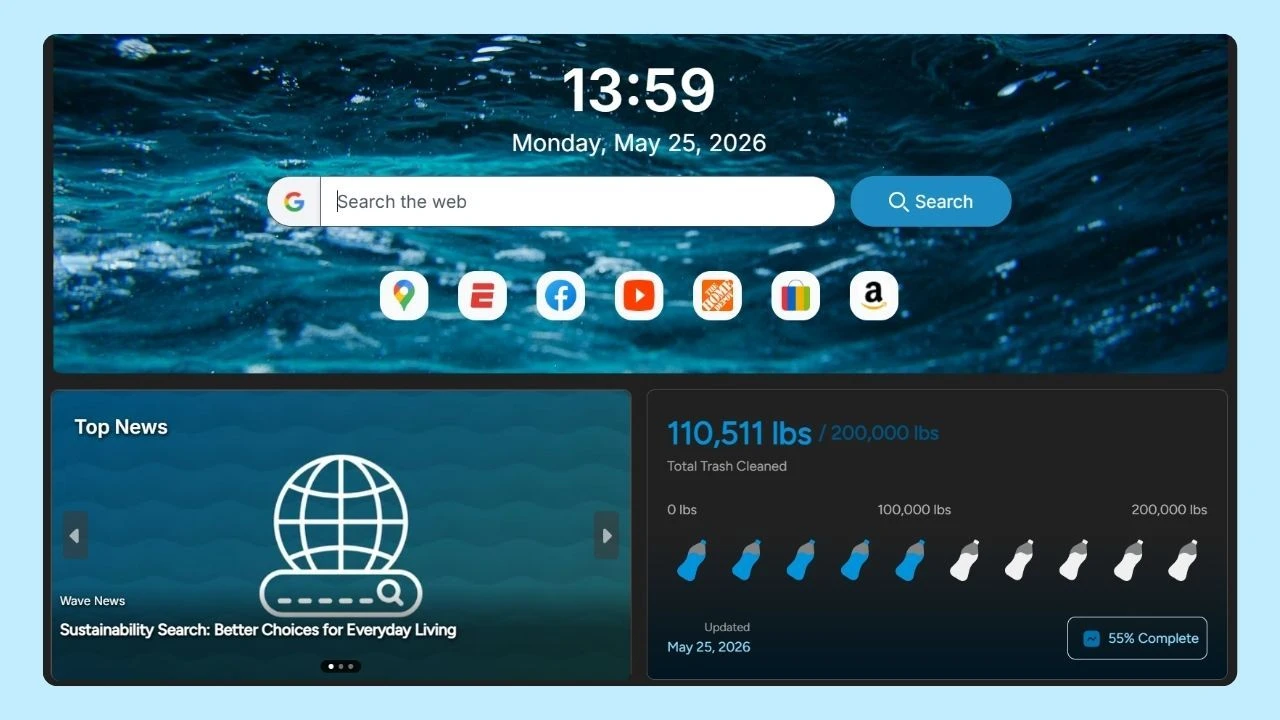
Some modern browsers, like Wave Browser, already include built-in AI tools that reduce the need to constantly switch between tabs.
As interest grows, so do the questions. What does “ChatGPT browser” actually mean? Is OpenAI launching a new tool? Which browser delivers the best ChatGPT performance? And are browser extensions worth installing?
Here’s what you need to know.
What Is a ChatGPT Browser?
The term ChatGPT browser can refer to a few different things:
- Using ChatGPT inside a traditional web browser (like Wave, Chrome, Safari, or Edge).
- A ChatGPT extension that integrates AI into your browser interface.
- Rumors or discussions about OpenAI’s new browser sometimes referred to online as “ChatGPT Atlas” or “Atlas browser.”
- AI-powered browsers that embed an AI assistant directly in the sidebar.
Currently, ChatGPT is mainly accessed through the website or through the app. For most PC, Mac, and Android users, the browser version remains the most common way to use it.
Is OpenAI Building a New ChatGPT Browser for macOS Called Atlas?
Yes! OpenAI has already launched a new AI-powered web browser called ChatGPT Atlas, which integrates ChatGPT directly into the browsing experience. Rather than being merely a plugin or extension, Atlas is a full web browser with ChatGPT built into its core interface.
It allows users to get instant answers, summaries of web pages, and smart assistance right from within the browser itself by combining traditional web browsing features (like tabs, bookmarks, search, and incognito mode) with an AI sidebar and context-aware assistance that can understand the page you’re on and help without switching tabs.
It is currently available for macOS, with versions for Windows, iOS, and Android planned for release.
Instead of ChatGPT functioning as a separate tool you open in a tab, Atlas embeds AI directly into the browser UI, letting you ask questions, summarize content, compare products, and interact with webpages using natural language. Optional features like browser memories store browsing context (with user consent) to improve personalized suggestions and efficiency.
In other words, ChatGPT Atlas is not just a conceptual project. It’s a real, shipping browser that represents a significant shift in how AI and web browsing can work together. However, traditional browsers will still be widely used, and Atlas is just the beginning of what AI-integrated browsing may look like.
ChatGPT Desktop App vs Browser
Many users compare ChatGPT desktop app vs browser performance.
Desktop App
- Dedicated application for macOS and Windows
- Direct integration with system tools
- Faster access without relying on multiple open tabs
- Includes features like voice mode
Web Version
- Accessible from any familiar web platform
- No installation required
- Works across multiple devices
- Easy login with your account
When comparing desktop app vs web version performance, the web-based option depends heavily on your device resources and the platform you’re using. If you experience lag or slowdowns, it’s often related to too many open tabs, heavy extensions, or high memory usage rather than the AI tool itself.
Which Browser Is Best for ChatGPT?

A common question is: Which browser is best for ChatGPT?
In general, ChatGPT’s compatibility is strong across major browsers, including:
- Wave Browser
- Google Chrome
- Microsoft Edge
- Safari
- Other Chromium-based browsers
If you’re wondering, does ChatGPT work better in a different browser? — the answer often comes down to performance, memory management, and the extensions you have installed.
The best browser for ChatGPT performance is typically one that:
- Manages open tabs efficiently
- Has minimal conflicting extensions
- Supports modern web standards
- Updates frequently
This is where Wave Browser stands out as a strong option for ChatGPT users.
Wave Browser Sidebar Browsing: AI & Multitasking in One View
Wave Browser includes a built-in Memory Saver feature that helps optimize system resources by reducing the impact of inactive tabs. If you frequently use ChatGPT alongside Google Docs, email, research pages, or social media, Memory Saver helps prevent slowdowns and keeps performance smooth.
It also offers a sidebar, allowing you to use ChatGPT side by side with another webpage. Instead of constantly switching tabs, you can draft content while reviewing source material, answering emails, or comparing information in real time. This improves productivity and creates a more efficient browsing workflow.
For users who rely heavily on AI tools, choosing a browser that supports multitasking and resource efficiency can make a noticeable difference in overall ChatGPT performance and daily browsing experience.
ChatGPT Browser Extensions & Plugins
There are many extensions designed to expand AI functionality and integrate smart tools directly into your browsing experience.
Some popular options include:
- Sidebar extensions that keep an AI assistant accessible alongside your open tabs
- WebChatGPT, which enhances responses with real-time web results
- Plugin tools that connect AI to external platforms and services
- Productivity-focused add-ons for writing, research, and email drafting
These tools can significantly improve workflows by reducing tab switching and speeding up everyday tasks. However, before installing any extension, it’s important to verify its legitimacy and review its permissions — especially when handling sensitive information, login credentials, or passwords.
What Is Remote Browser Data in ChatGPT?
This typically refers to temporary browsing-related information used when ChatGPT interacts with web-based tools or browsing features. It may include:
- Page content pulled from a webpage
- Context from search results
- Session-related browsing data
It does not mean ChatGPT can freely access your full browser history unless explicitly permitted through tools or agent mode features.
The Future of ChatGPT and Browsers
We’re entering a phase where the boundary between AI chatbot and web browser is steadily disappearing.
Instead of jumping between open tabs, copying page content, or switching apps to draft emails and summarize a webpage, users increasingly expect AI to be embedded directly into their browsing workflows. From managing confirmation messages to assisting with social media posts, AI is becoming part of the natural browsing experience.
This is where integrated AI tools inside a browser make a real difference.
Wave Browser, for example, features a built-in AI assistant, allowing users to generate ideas, refine text, summarize content, and stay productive all without leaving the current page. The result is a smoother, more efficient workflow that feels less fragmented and more intuitive.
Beyond AI functionality, Wave Browser has also gained attention for its eco-conscious approach to browsing, including coverage from Tom’s Guide highlighting its partnership supporting ocean cleanup efforts.
As AI continues to reshape how we interact with the open web, the conversation is shifting. It’s no longer just about which browser is best for ChatGPT, it’s about choosing a browser that integrates AI seamlessly into your daily digital life while aligning with your values and long-term workflows.