Many internet users open an incognito window expecting complete online privacy, but private browsing does not make your internet activity invisible. While incognito mode can help reduce local storage, it does not fully hide your online activity from websites, different search engines, employers, or your internet service provider.
Most modern web browsers include some form of private browsing mode, but the protections are often misunderstood. Understanding the answer to “is incognito safe” helps users make smarter decisions about online safety, banking, and personal data protection.
What Is Incognito Mode?

Incognito mode is a type of private feature available in most web browser platforms. When you open an anonymous window, the browser creates a temporary browsing session that does not save browser history, cookies, search history, or form data after the session ends.
This mode prevents the local storage of browsing history once you close browser window. This can be useful when using a shared computer or public device because the next user will not easily see the history of your searches or login credentials.
However, this does not hide your IP address, internet protocol information, or internet traffic from the outside world. Websites, advertisers, network administrators, and internet service providers may still monitor browsing activity during an anonymous session.
Private mode is best understood as a way to reduce traces left on your own device, not as a complete anonymity tool.
Why Do People Use Incognito Mode

People use private browsing sessions for many different reasons. Sometimes it is simply a good idea for convenience. Opening a private window allows users to sign into multiple accounts at once, avoid personalized recommendations, or perform a normal search without affecting future suggestions.
Others use private browsing window features to:
- Shop for flights or gifts on a mobile device
- Avoid saving site data on an iOS device
- Access accounts temporarily on a shared computer
- Reduce targeted ads and personalized tracking
- Test browser extensions
- Keep social media activity separated from regular browsing
Some users also believe anonymous search provides default protection against identity thieves or malicious software. While it can help reduce saved browsing data locally, it does not replace proper cyber security practices.
For users looking for stronger protection, tools like a virtual private network, private search services, or a secure web browser offer different ways to improve privacy beyond standard private browser mode features.
Is Incognito Safe?

The answer depends on what you are trying to protect.
Is Incognito Safe for Privacy?
Incognito mode offers limited privacy protections. It helps keep activity private from other people using the same device by removing cookies, browser history, and temporary files after the session ends.
However, private browsing does not fully protect online privacy. Your IP address remains visible, and trackers may still collect information across different websites. Anonymous browser sessions also do not automatically block enhanced tracking protection systems, fingerprinting techniques, or advanced advertising trackers.
If stronger privacy is the goal, combining a secure web browser with a virtual private network and careful browsing habits is usually a better idea.
Is Incognito Safe From Viruses?
No. One of the biggest misconceptions about incognito mode is that it protects against malicious software or unsafe websites. This does not stop malware downloads, phishing scams, or infected files.
Users can still:
- Click dangerous links
- Download unsafe software
- Expose login credentials
- Visit compromised websites
Is Incognito Safe for Banking?
Using incognito mode for banking can sometimes add a small layer of convenience, especially when signing into financial accounts on a public device or avoiding stored login information. However, it should not be viewed as a replacement for real security protections or a secure browser for banking.
Online banking safety depends more on:
- Secure websites
- Strong passwords
- Two-factor authentication
- Updated software
- Trusted internet connections
- Using a secure browser for banking
This mode alone does not encrypt internet traffic or hide sensitive financial activity from outside eyes.
How to Turn Incognito Mode On and Off
Turning incognito mode on or off is simple and works similarly across major browsers.
How to Turn On Incognito Mode
To get started, follow these steps:
- Open your web browser
- Click the menu icon in the top corner
- Select New Incognito Window or New Private Window
You can also use keyboard shortcuts on many devices:
- Windows: Ctrl + Shift + N
- Mac: Command + Shift + N
Once opened, the browser window will usually appear darker or display an icon showing you are in a private browser mode session.
How to Turn Off Incognito Mode
- Close the private browser window completely
- Any temporary browsing data, cookies, and form data from that session will typically be removed from the device’s history after closing
Keep in mind that closing incognito mode does not hide online activity from websites, internet service providers, employers, or network administrators.
Disadvantages of Incognito Mode
If you are still wondering “is incognito safe,” it is important to understand the limitations many users overlook:
- Does not hide online activity from websites, employers, schools, or internet service providers
- Does not protect against malicious software, phishing scams, or unsafe downloads
- Does not hide your IP address or encrypt internet traffic
- Trackers and advertisers may still monitor browsing activity across different websites
- Saved preferences, account logins, and personalization settings disappear after the session ends
- Can create a false sense of security for users who believe they are completely anonymous online
- Does not fully protect sensitive information on unsecured Wi-Fi networks
- Identity thieves can still target users through unsafe websites or stolen login credentials
This mode is best viewed as a tool for reducing local browsing data on your device, not as complete online protection.
How to Turn On Incognito Mode in Wave Browser
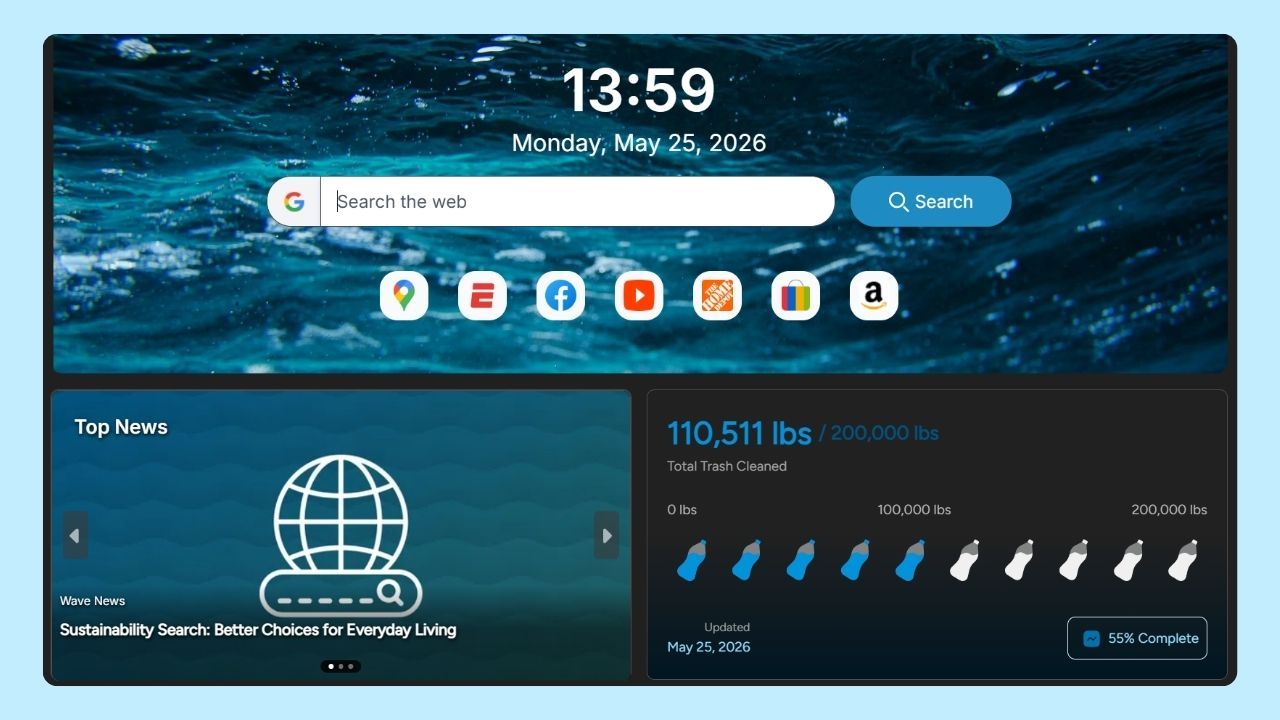
Opening an anonymous window in Wave Browser is quick and simple. Private browsing mode helps reduce local storage of your browsing history, cookies, and temporary site data after the session ends.
On Desktop
Use the following steps:
- Open Wave Browser
- Click the menu icon in the top-right corner
- Select New Incognito Window
You can also use keyboard shortcuts:
- Windows: Ctrl + Shift + N
- Mac: Command + Shift + N
On Mobile Devices
Complete the steps below:
- Open the Wave Browser app
- Tap the menu icon
- Select Incognito Mode or Private Browsing
Once active, the private browser window will typically appear darker to indicate the browsing session is not being saved locally on the device.
A safer browsing experience usually comes from combining smart digital habits with tools designed to support security and control. Using strong passwords, avoiding suspicious websites, and reviewing privacy settings regularly can help reduce exposure to online threats and unwanted tracking.
Wave Browser focuses on helping users manage browsing data through customizable privacy settings, built-in ad and tracker blocking on supported platforms, and user-friendly tools that support a safer and more productive browsing experience.
Alongside security and simplicity, Wave also supports verified ocean cleanup efforts through its partnership with 4ocean, connecting everyday browsing with real-world environmental impact.