Netflix’s AI Discover offers new ways to find TV shows and films based on your mood, available time, and recent watch history.
Traditional AI algorithms already personalize suggestions, but this new feature lets you guide them more directly. Choose a theme to explore similar recommendations, then tell Netflix which titles fit your interests. This feedback helps shape user recommendations within AI Discover.
Watching on desktop? Wave Browser’s Side Bar lets you watch your favorite shows in a side-by-side view while browsing. Keep your show visible alongside a chat, check an actor’s name, or read about an episode without repeatedly switching tabs.
What Is Netflix AI Discover?

The AI Discover tab brings artificial intelligence to content discovery in the Netflix TV app. With lots of shows to choose from, its initial experience helps narrow down recommendations based on your specific wants, current mood, available time, and watch history.
The first experience starts with a range of themes:
- Quick Watches: For when you have a few spare minutes
- Family Movie Night: For choosing something to watch together
- Specific themes: Explore options like “Royal Court Intrigue” and “Family Scandal Sagas”
- Something Different: Request a fresh set of themes to explore
You can stop specific title recommendations from appearing again in AI Discover, whose new intelligence layer uses your feedback to refine suggestions in real time.
Netflix Announcement
In its official statement, Netflix AI Discover was introduced on November 3, 2026, as a new TV app tab for finding shows and films through themes, viewing history, and viewer feedback. The initial rollout is limited to a small group of users in the US watching in English on supported TVs, with access gradually expanding over the coming weeks.
How Might Viewers Respond to AI Discover?
Early public sentiment includes both skepticism and interest. Some people responding on X and Reddit questioned how AI Discover differs from the existing recommendations.
Others welcomed the possibility of spending less time searching for something to watch. These reactions offer an early snapshot of the discussion, rather than a representative measure of subscriber opinion.
How Can You Watch Netflix While You Browse with Wave Browser?
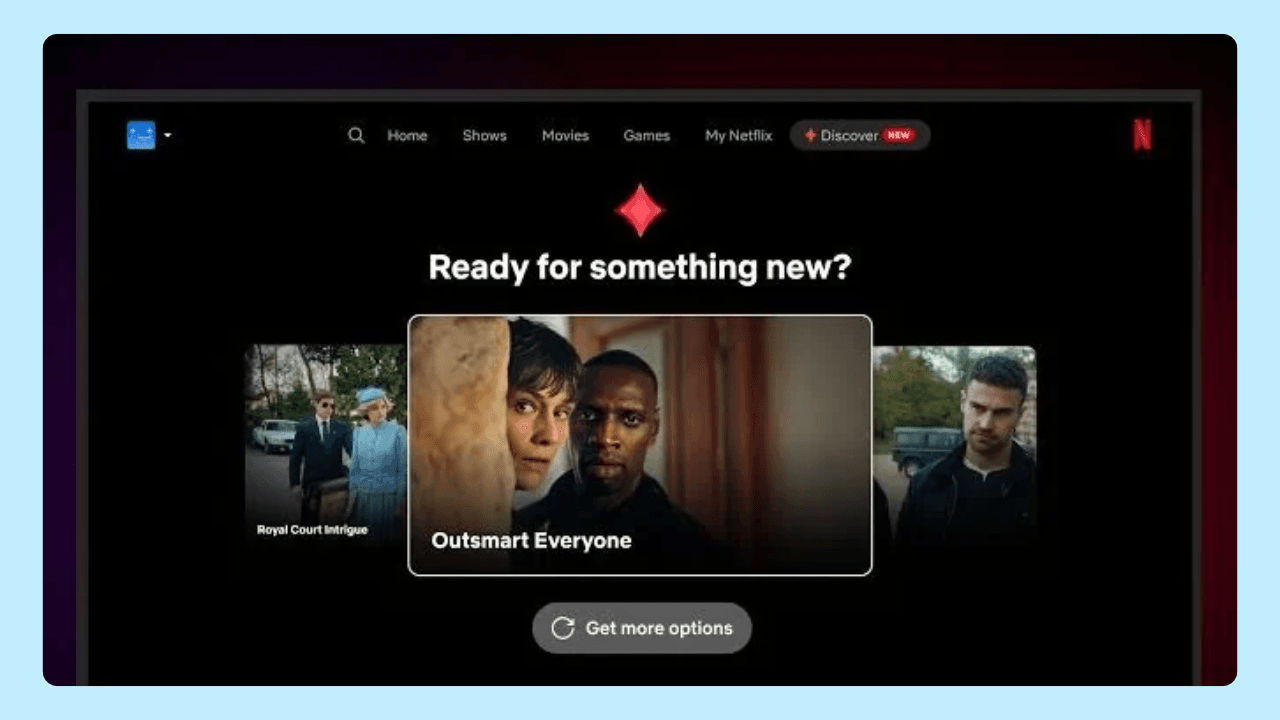
Finding the perfect show shouldn’t take so much time. AI Discover is a new AI feature in the TV app, accessible through the navigation bar. It lets you explore a range of show and movie recommendations by mood, theme, or available viewing time and ask it to stop suggesting titles you’re not interested in.
These controls could make choosing something to watch easier, though the feature is still being tested, and is currently available only to a limited group of viewers on supported TVs. If you prefer watching on desktop, explore the differences between the Netflix app and browser and learn about Netflix ad blocker considerations.
Once you’ve picked something, Wave Browser’s Side Bar lets you watch Netflix in a side by side view while keeping a chat or webpage open alongside it. TechWalls’ Wave Browser overview explains how these multitasking tools help keep everything within reach, so you can settle in without switching between windows.