A discount can look convincing until you discover that the same product cost less a few weeks ago. Prices move throughout the year, and with Black Friday approaching, knowing what an item previously cost can help you separate an ordinary promotion from a worthwhile deal.
Online price tracking records these changes and gives you more context before you buy. Depending on the tool, you may be able to review a product’s price history, set a target price, or receive price drop alerts.
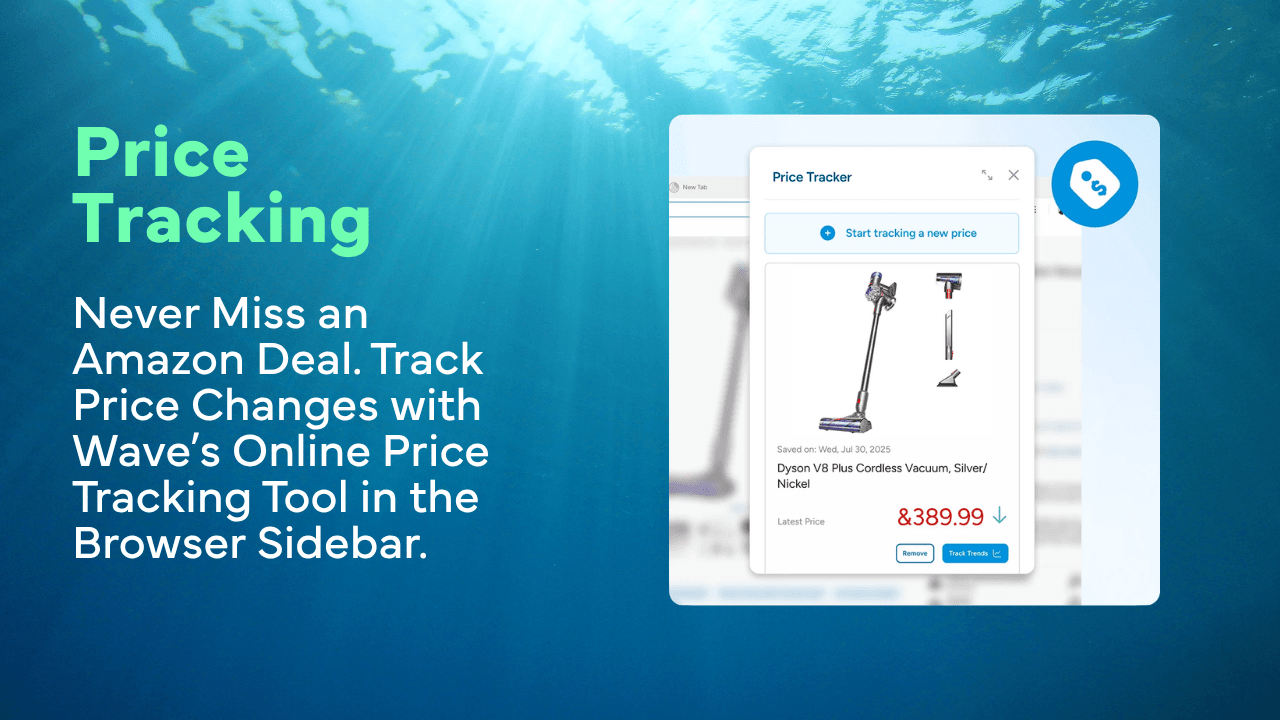
On supported desktop versions, Wave Browser’s Price Tracker lets you add eligible Amazon products to a tracking list and monitor their current prices from the Side Bar. It also connects users with historical information from camelcamelcamel.com, providing another reference point without requiring a separate price tracker extension.
What is Online Price Tracking?

Online price tracking is the process of monitoring how much a product costs over time. A price tracker regularly checks a product page, records changes, and presents the information as a list, graph, or notification.
This can help shoppers answer practical questions:
- Has the price recently increased or decreased?
- Is the current discount lower than the usual selling price?
- What is the lowest historical price?
- Does the item regularly go on sale?
- Has it reached my target price?
- Should I buy now or wait for another promotion?
Some tools focus on one individual product, while others monitor thousands of items across several stores or Amazon marketplaces. Their features range from basic tracking to historical price charts, email alerts, product research, and broader market analysis.
Why Prices Change Online

Online prices are rarely fixed. Retailers and Amazon sellers may adjust them because of demand, inventory, competitor pricing, shipping expenses, seasonal campaigns, or changes to their wider pricing strategy.
Common factors that can change a product’s cost include:
- Limited inventory
- A new seller offering the same product
- A coupon becoming available or expiring
- A change to shipping costs
- A newer model entering the market
- Higher demand for a trending product
- A seller competing for the Buy Box, also called the Featured Offer
- A temporary deal during Black Friday or another shopping event
Different shoppers may also see different totals because of location, taxes, membership benefits, shipping, or seller availability. For that reason, historical data should provide context rather than be treated as a guarantee of the final checkout price.
Why Price History Matters During Major Sales
Large sale events create urgency, but an advertised discount does not always represent the product’s lowest price. A retailer may compare the sale amount with a list price that has not been charged recently, or the same promotion may return several times each year.
The scale of online shopping makes careful comparison especially useful.
Adobe Analytics reported that shoppers in the United States spent a record $11.8 billion online on Black Friday 2025, an increase of 9.1 percent from the previous year.
Before buying during Black Friday, compare:
- The current price
- The usual recent price
- The historical low
- The seller and shipping cost
- Any coupons or membership discounts
- The return policy
- Whether the item is the exact model you researched
A good deal should make sense for your budget and needs, even if the product never returns to its lowest recorded price.
How Online Price Tracking Works
Although tools differ, the basic process is usually straightforward.
Find the Correct Product Page
Start by locating the exact version of the product you want to buy. Items that look almost identical can have different prices because of their model, size, color, storage capacity, included accessories, condition, or seller.
For example, a laptop with 16GB of memory may appear on the same listing as an 8GB version. A smartphone could be available with 128GB or 256GB of storage, while a gaming controller may be sold by itself or as part of a bundle. Tracking the wrong version could make a normal value difference look like a discount.
Before adding an item, confirm:
- The full product and model name
- The selected size, color, or storage capacity
- Whether the item is new, used, or refurbished
- What is included in the bundle
- The seller and delivery terms
- Whether the displayed price requires a coupon or membership
Checking these details helps ensure that the price history belongs to the product you actually intend to purchase.
Add the Product to a Tracker
Add the product by pasting its URL into a tracking website, selecting a tracking button, or using a built in browser tool. In Wave Browser, you can add an eligible Amazon product to the Price Tracker and access it from the desktop Side Bar. Check that the saved item shows the correct version and current price.
Review the Historical Price
Look at how the Amazon price has changed over several weeks or months. Historical charts can reveal whether a discount is common, unusually low, or higher than a recent promotion.
For example:
- A Steam price history tool can show how often a game has been discounted and whether its current sale price is close to a previous low. Because regional pricing, editions, and bundles differ, confirm that the historical data matches the version you intend to buy.
- Shoppers looking for big savings on ENEBA can also compare sellers, regions, platform compatibility, and available discount codes. A low price is only useful if the key works in your region and on your intended platform.
Choose a Target Price
Set the highest amount you are comfortable paying. Use the product’s previous prices, your budget, and how soon you need it as a guide.
For example, if a headset regularly falls from $100 to $75, you might set $75 as your target instead of buying it at the first small discount.
Select Your Alert Method
Choose how you want to follow the changes. Some tools send email alerts, browser notifications, or mobile app updates when an item reaches your target price. Wave Browser’s built in Price Tracker does not send automatic notifications, but you can open the desktop Side Bar at any time to review your saved Amazon products.
Confirm the Final Amount
Check the retailer’s product page before completing your order. A tracker may not immediately include shipping, taxes, coupons, membership discounts, or a recent seller change.
For example, a $50 tracked price could become $58 at checkout after delivery and tax are added.
What to Look For in Price Tracking Tools
The best solution depends on what you want to monitor and how much detail you need.
| Feature | What it does | Best suited for |
| Current price monitoring | Shows the latest recorded amount for a saved product | Shoppers checking a small list |
| Price history | Displays how the cost has moved over time | Anyone evaluating whether a discount is unusual |
| Target price | Lets you define the amount you want to pay | Shoppers willing to wait |
| Price drop alerts | Sends a message after a tracked reduction | Limited time promotions |
| Historical charts | Presents previous changes visually | Comparing patterns across several months |
| Product tracker | Organizes several items in one place | Holiday lists and planned purchases |
| Seller data | Tracks sales rank, inventory, and Buy Box pricing | Amazon sellers and brands |
| Market research | Compares products, categories, and market trends | Professional teams and large enterprises |
| Exports and reports | Moves information into a spreadsheet or dashboard | Amazon Business users and analysts |
New users may prefer a simple tracker with a clear interface. Professional sellers may need premium features, exports, keyword research, or competitive intelligence that would be unnecessary for an everyday shopper.
How Wave Browser’s Amazon Price Tracker Works
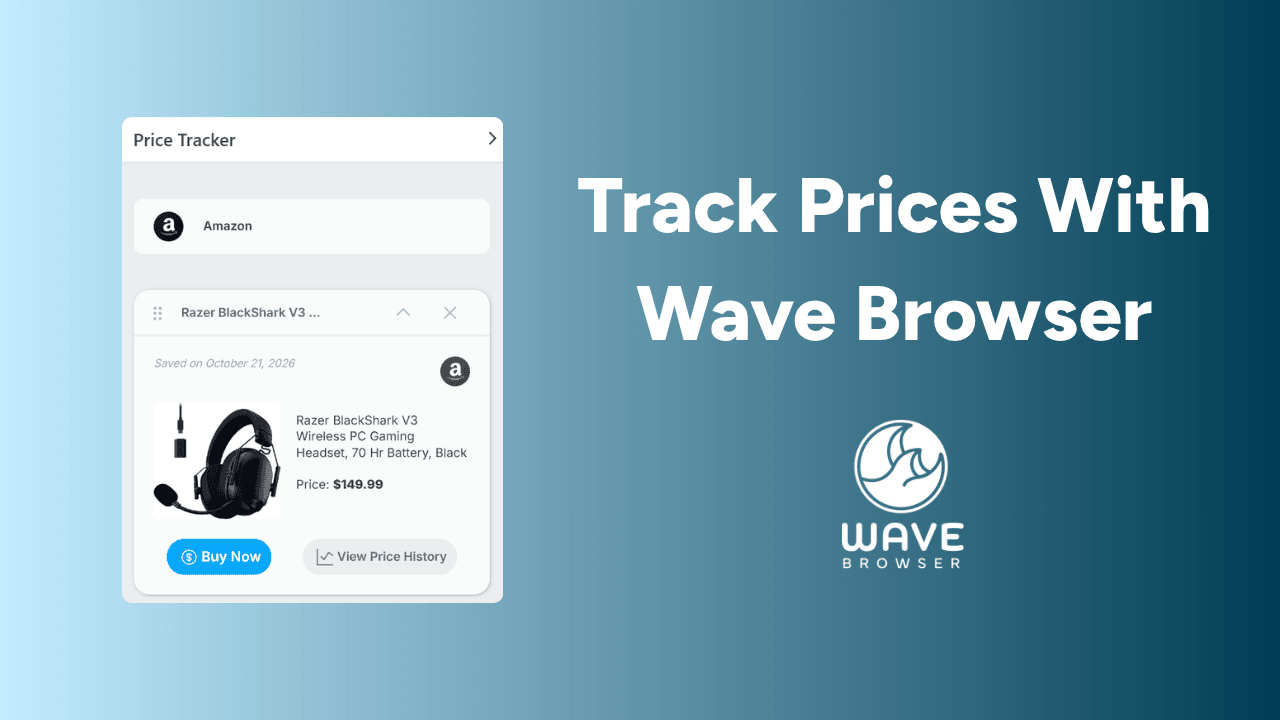
On supported desktop platforms, Wave Browser places its Amazon Price Tracker in the Side Bar. While viewing an eligible Amazon product, you can add it to your list and return to its current pricing information while continuing to browse.
A typical process for using Wave’s online price tracking tool looks like this:
- Open an Amazon product page in Wave Browser
- Add the item to your Price Tracker list
- Open the Side Bar when you want to check it
- Review the current price shown on its card
- Open the available historical information for additional context
- Return to Amazon to confirm the seller, shipping, and final amount
Wave’s tool is built into the browsing experience, so there is no need to install separate price tracker browser extensions for this purpose.
A Gadget Bridge overview of Wave Browser’s multitasking tools shows its built in price tracking, package tracking, translation, and conversion features. The overview explains how these tools remain accessible while the main browser window is being used for another task.
Together, these tools make online price tracking easier to include in your regular shopping routine. Wave Browser keeps eligible Amazon products and current pricing information within reach, helping you review potential purchases without repeatedly searching for the same product page or opening additional tabs.