Modern browsing is no longer just about opening web pages. For remote workers, students, and fast-moving teams, the web browser has become the center of daily work sessions—handling project management, task management, communication, and research across dozens of open tabs.
Browser extensions have played a key role in this shift. These tools help address common pain points such as tab overload, distracting websites, password security, and time management, allowing users to shape their browsing experience around how they actually work.
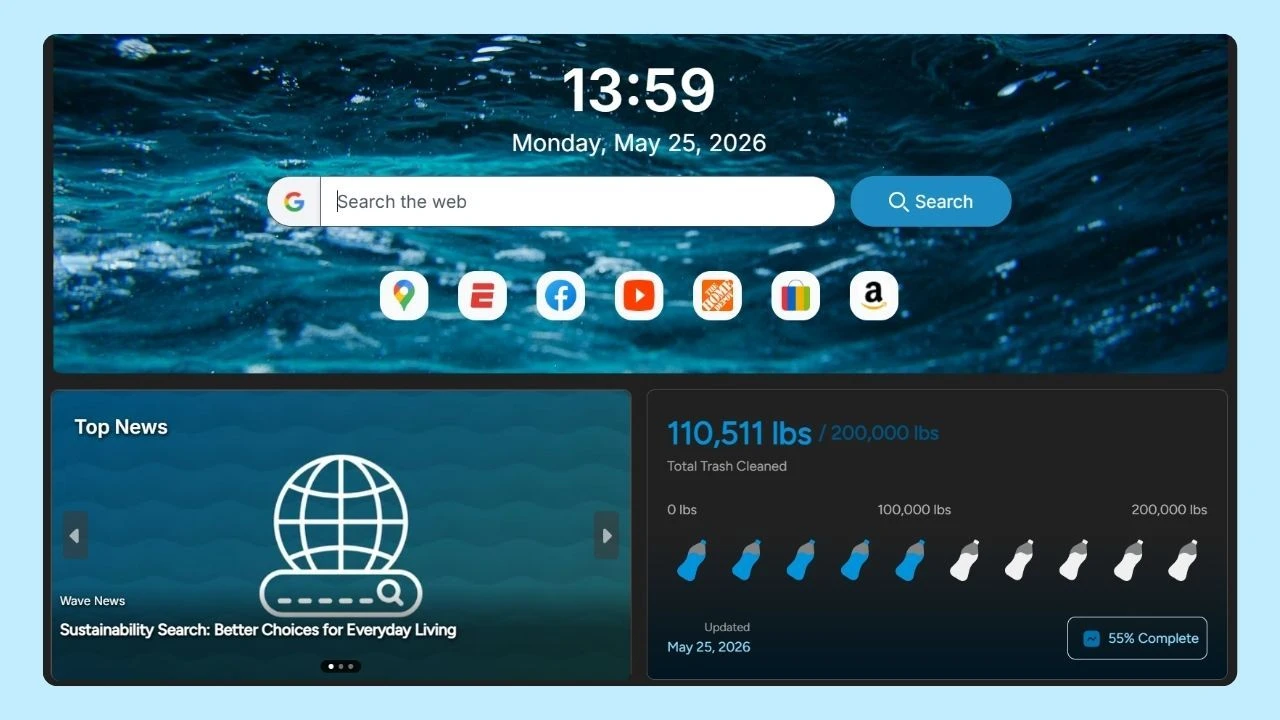
Before exploring a curated list of the top browser extensions, it’s worth noting that some browsers—like Wave Browser—now include many of these productivity features by default. Built-in tools such as tab management, ad blocking, reading lists, and quick-access dashboards can reduce the need to install additional extensions, creating a more focused experience from the start.
That said, browser extensions remain a valuable way to customize your setup based on specific workflows and needs. Below is a practical, informed guide to the top browser extensions used by professionals today.
Why Extensions Matter
Browser extensions help shape how people use the web day to day. By adding specific functionality directly into the browser, extensions make it easier to work efficiently, stay organized, and reduce friction during everyday tasks without changing how you browse.
Key benefits of the top browser extensions include:
- Add focused functionality directly into your browser without extra software
- Improve productivity by simplifying tab management, task tracking, and time management
- Reduce distractions during work sessions by limiting access to time-wasting websites
- Support better organization across projects, research, and daily workflows
- Personalize the browsing experience to match individual needs and preferences
- Save time by completing common actions with fewer clicks
- Improve writing and communication quality in real time
- Help manage passwords and protect sensitive information
- Make it easier to save, revisit, and organize web content
- Create a more efficient, purpose-built browsing workspace
Top Browser Extensions
By integrating directly into your browser, extensions help streamline your workflow, reduce distractions, and automate repetitive tasks. From securing passwords and staying focused to organizing tasks or tracking how you spend your time, browser extensions bring powerful productivity tools right into your browser, helping you work smarter without ever leaving your tab.
Keeping your browser organized is just as important as choosing the right tools.
Regularly cleaning up unused tabs, extensions, and files—especially during moments like National Clean Up Your Computer Month—can improve performance, reduce digital clutter, and make your browsing experience feel more intentional.
The best part? Most extensions are free or low-cost and take only seconds to install.
When paired with mindful digital habits, browser extensions can turn your everyday browser into a more focused, productive workspace, helping you get more done with less stress.
Below, you’ll find our list of top browser extensions you can download today.
1. Tab & Session Management

OneTab
OneTab helps reduce tab overload by converting all open tabs into a single, organized list. This is a great way to free up system resources, regain focus, and revisit important web pages later without losing track of your work.
Session Buddy
Session Buddy allows users to save, restore, and organize browsing sessions. It’s especially useful for managing different projects, recovering closed tabs, and keeping long work sessions structured.
Toby
Toby replaces your new tab page with a clean dashboard where you can organize tabs into collections. It’s designed to improve tab management and make switching between tasks faster and more intentional.
2. Productivity & Focus

Momentum
Momentum turns your new tab page into a simple, personalized dashboard with a daily focus, task list, and visual background. By replacing a blank or cluttered tab with intentional prompts, it helps reduce distractions and set a clearer tone for the day.
StayFocusd
StayFocusd helps individuals manage their time by setting limits on distracting websites. Once a daily limit is reached, access is restricted making it easier to stay on track during focused work sessions without relying on willpower alone.
Forest
Forest uses a visual, goal-driven approach to encourage focused work. While you complete tasks, distracting sites are blocked, and progress is represented visually—making it easier to stay engaged and build consistent time-management habits.
Other tools like OneLaunch can be a good option if you use Windows.
3. Task & Project Management
Todoist
Todoist helps individuals manage tasks with clarity and flexibility. Natural language input makes it easy to add tasks quickly, recurring tasks help automate routine work, and project organization tools keep everything structured. With Google Calendar integration and cross-device syncing, tasks stay visible wherever you work.
Trello
Trello uses visual boards and cards to make task tracking intuitive and easy to follow. Users can organize work by project, move tasks through different stages, and see progress at a glance making it especially useful for managing multiple projects or collaborative workflows.
Asana
Asana provides a more structured approach to project management. It allows users to assign tasks, set deadlines, track progress, and manage dependencies directly from their browser, helping teams and individuals stay aligned on complex or long-term projects.
4. Password & Security
Bitwarden
Bitwarden is an open-source password manager that gives individuals a simple, transparent way to store and manage login credentials securely. With strong password generation, cross-device syncing, and a generous free plan, it’s a practical option for users who want control and flexibility without unnecessary complexity.
1Password
1Password helps individuals keep sensitive information—such as passwords, credit card details, and personal data—organized and easy to access when needed. Its clean interface and reliable autofill features make everyday browsing smoother while reducing the risk of weak or reused passwords.
Dashlane
Dashlane combines password management with built-in security monitoring, helping individuals spot weak passwords and improve their overall online safety. It’s designed to make protecting personal information across multiple websites feel manageable, even for users with dozens of accounts.
5. Writing & Communication

Grammarly
Grammarly helps individuals improve writing by providing real-time suggestions for grammar, spelling, clarity, and tone. It’s especially useful for drafting emails, documents, and everyday online communication where clear writing matters.
LanguageTool
LanguageTool offers grammar and style suggestions across multiple languages, making it a strong option for users who write in more than one language. It helps maintain consistency and readability without interrupting the writing flow.
Google Translate
Google Translate makes it easy to understand content in different languages by translating selected text or entire web pages. It’s helpful for quick comprehension, research, and navigating international websites.
Pocket allows individuals to save articles, videos, and web pages to read later, even offline. It’s useful for organizing long-form content, managing reading lists, and keeping research accessible across devices.
Evernote Web Clipper
Evernote Web Clipper helps users capture and annotate web content, making it easier to save important information, add context, and reference research materials later.
6. Screen Recording & Collaboration

Loom
Loom makes it easy for individuals to record their screen with voice and camera, helping them explain ideas, share updates, or walk through processes without scheduling live meetings. It’s especially useful for remote work, quick feedback, and clear async communication.
Screencastify
Screencastify allows individuals to record browser tabs, full screens, or presentations, making it easier to create tutorials, demos, or training materials. Its simple controls make screen recording accessible even for first-time users.
7. Privacy & Content Control
uBlock Origin
uBlock Origin is a lightweight content blocker that helps individuals reduce ads and tracking scripts across web pages. By minimizing visual clutter and background requests, it supports a cleaner, more focused browsing experience especially during long work sessions.
Privacy Badger
Privacy Badger automatically limits tracking from third-party scripts, helping individuals reduce unwanted data collection without needing to manage complex settings. It’s a practical option for users who want better control over online privacy with minimal effort.
How to Download Browser Extensions
Browser extensions are typically downloaded from official extension marketplaces tied to your browser. These sources are designed to make installation simple while helping users review permissions, updates, and user feedback before adding new tools.
Common extension marketplaces include the Chrome Web Store, Microsoft Edge Add-ons, Firefox Add-ons, and Safari Extensions. Browsers built on Chromium—such as Wave Browser—are compatible with Chrome extensions, giving users access to a wide selection of tools while still benefiting from Wave’s built-in features.
What is a Chrome Extension?
A Chrome extension is a small software program that enhances the functionality of the Google Chrome browser. These extensions can add features, improve user experience, or integrate with web services. Users can easily install them from the Chrome Web Store to customize their browsing experience to suit their needs.
Work Smarter with Wave Browser’s Native Productivity Tools
When it comes to boosting productivity, many browsers rely on a collection of top browser extensions to cover everyday needs.
Wave Browser takes a different approach by offering a suite of built-in tools and integrated extensions designed to simplify your digital experience without requiring extra downloads. From converting files and organizing tabs to blocking ads and managing everyday tasks, Wave includes essential functionality directly within the browser.
Wave also brings something most browsers don’t: a purpose-built into the experience.
While you browse and work online as usual, Wave helps support verified ocean cleanup through its partnership with 4ocean turning everyday browsing into meaningful impact without changing how you work.
Customization still matters. Wave Browser remains fully compatible with top browser extensions, giving you the flexibility to add specialized tools when your workflow calls for them. You can combine built-in features with extensions that match your specific needs.
Whether you prefer a streamlined setup or enjoy fine-tuning your browser, Wave adapts to your style delivering a focused browsing experience that works for you and contributes to a cleaner ocean.