Every time you browse the internet, use social media, shop, or sign up for a new service, you create a digital footprint. This growing trail of data forms a record of your online behavior, including the websites you visit, your search history, purchases, and interactions across different platforms.
Understanding your digital footprint can help you stay safer every time you use the internet. While you can't eliminate your online presence, you can take steps to manage your personal data, reduce unnecessary data collection, and improve your privacy.
Web browsers play an important role in your digital footprint by storing browsing data, managing cookies, and giving you control over privacy settings that affect your experience.
That's why Wave Browser includes customizable privacy settings, giving you greater control over how you browse. Combined with good habits, understanding how your digital footprint works can help you make more informed decisions about the online services you use and the information you share.
What Is a Digital Footprint?

A digital footprint is the collection of records created whenever you use the internet. It includes nearly every interaction that contributes to your online presence, from visiting websites to using apps on your mobile device.
It's sometimes referred to as your digital shadow because information about your activities can remain available long after you've forgotten about it.
Some information is intentionally shared, while other data is collected automatically in the background.
What Information Makes Up Your Digital Footprint?
Your footprint can contain a surprising amount of information, including:
- Email address
- Phone number
- Home or workplace information
- Personal details
- Financial data
- Credit card information used during online shopping
- Browsing habits
- Personal social media activity
- Photos and videos
- Fitness information from fitness trackers
- Professional profiles
- Public comments
- Public content
- Login activity
- Device information
- Location settings
Over time, this information creates a detailed data trail that reflects your habits and interests.
Why Your Digital Footprint Matters
Having a large digital footprint isn't always a bad thing. In many cases, it can strengthen your professional reputation, create networking opportunities, and support career growth. However, sharing too much publicly available information can also increase security risks.
Potential concerns include:
- Identity theft
- Phishing attacks
- Account takeover attempts
- Unauthorized access
- Exposure after a data breach
- Targeted scams
- Collection of sensitive data
- Increased exposure to cyber threats
If your information is exposed on the dark web after a data breach, malicious actors may combine leaked data with publicly available information to impersonate you or gain access to your accounts.
Active Digital Footprint vs. Passive Digital Footprint

Your digital footprint consists of two main categories: active footprints and passive footprints. The difference comes down to whether you intentionally share information or it's collected automatically as you browse.
| Feature | Active Digital Footprint | Passive Digital Footprint |
| How it's created | Intentionally by your actions | Automatically while you browse |
| User control | You decide what to share | Often collected without direct action |
| Visibility | Usually public or shared by you | Typically collected in the background |
| Purpose | Communication, interaction, and content sharing | Analytics, personalization, and security |
| Examples | Social media posts, comments, reviews | Cookies, IP address, browsing activity |
Active footprints often involve sharing personal information directly, while passive footprints are created through data collection that helps websites personalize content, improve services, and measure performance.
Best Practices for Protecting Your Digital Footprint
Improving your online security doesn't require disappearing from the internet. Instead, focus on smart habits that help secure personal information while reducing unnecessary exposure.
Review Privacy Settings
Check the privacy settings on your browser, apps, and social media sites regularly. Many platforms update their default settings over time, so it's worth reviewing them periodically to ensure they still match your preferences.
Review app permissions regularly and disable anything you don't need.
Use Strong Passwords
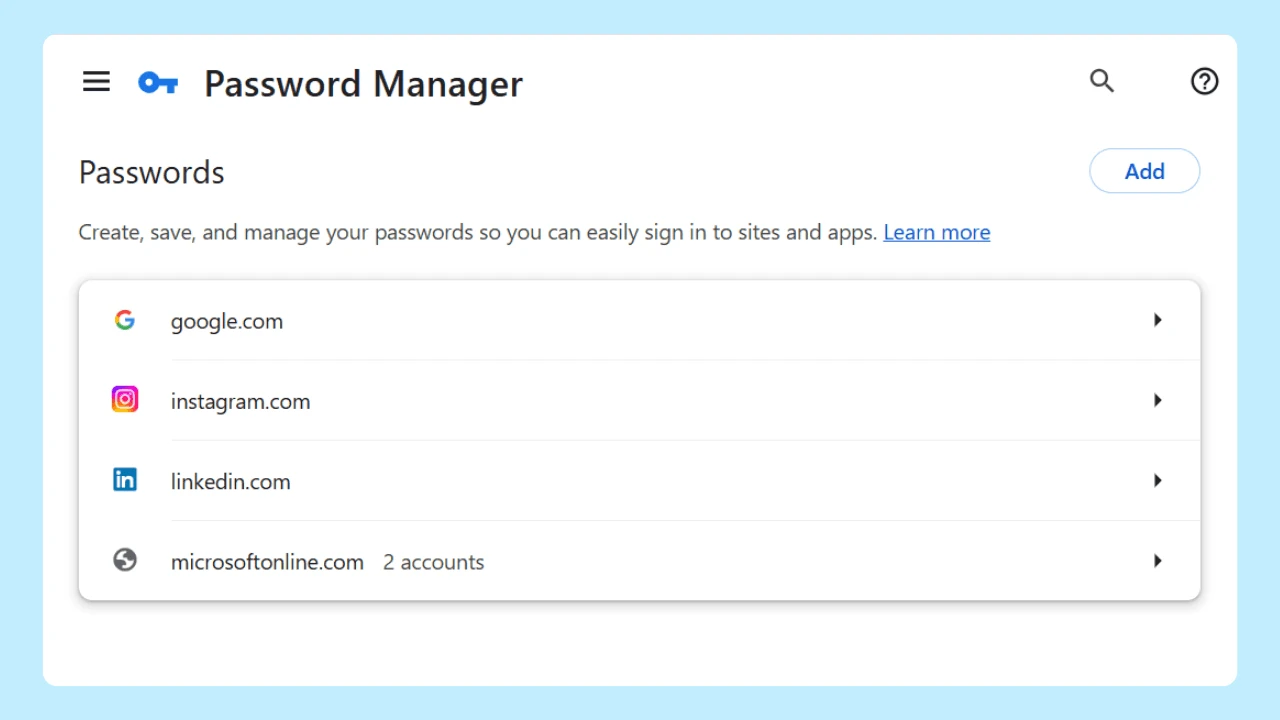
Create unique, strong passwords for every online account. Good password management significantly reduces the risk of unauthorized access, especially if one of your accounts is affected by a data breach.
Whenever possible, enable multi-factor authentication for an extra layer of protection.
Many organizations also recognize Change Your Password Day as a reminder to update passwords regularly and replace any that have been reused across multiple accounts.
Delete Old Accounts
Unused accounts can become security risks if they remain active for years.
Close accounts you no longer use, particularly those containing sensitive information or financial data. The fewer accounts you maintain, the fewer potential entry points attackers have.
Watch App Permissions
Many apps request permission to access your contacts, camera, microphone, photos, or location data.
Review app permissions regularly and disable anything you don't need. This helps reduce unnecessary data collection and gives you more control over the information apps can access.
Be Careful with Online Forms
Before submitting online forms, ask yourself whether every requested detail is necessary.
Avoid sharing more personal information than required, especially your phone number, home address, or financial data unless you're confident the service is legitimate.
Shop Securely Online
When shopping, only enter your credit card details on trusted websites using a secure connection.
Look for HTTPS in the website address and the padlock icon in your browser before entering payment information. These indicators show that data transmitted between your device and the website is encrypted.
Protect Your Connection
Using a Virtual Private Network (VPN) can encrypt your internet traffic, particularly when using public Wi-Fi. This is especially valuable for people who travel frequently or work remotely.
If you encounter a secure connection issue, avoid entering passwords or financial information until you've confirmed the website is legitimate and your connection is safe.
Use Secure Browser Tools
Modern browsers include secure browser tools that can help protect your privacy while browsing. Features such as tracker controls, cookie management, phishing protection, and customizable privacy settings give you more control over your online experience.
You can also install trusted privacy extensions to block trackers, manage cookies, or reduce unwanted advertising. Just be sure to download extensions from reputable sources and review the permissions they request.
Manage Website Permissions
Many browsers allow you to create a whitelist of trusted websites that are permitted to access certain features, such as notifications, your camera, or your location.
Using a whitelist helps limit access to only the sites you trust while preventing unnecessary requests from unfamiliar websites.
Think Before You Post
Everything you publish contributes to your long-term online reputation. Before sharing photos, opinions, or personal updates, consider who can see them today and whether you'd be comfortable with that content remaining online in the future.
Read the Terms Before You Agree
Many people accept terms of use without reading them.
While lengthy, these agreements often explain:
- What data is collected
- How long data is stored
- Whether data is shared with partners
- Your privacy options
- Data deletion policies
Understanding these policies helps you make informed decisions about your data privacy and gives you a clearer picture of how your information is handled by the online services you use.
Take Control of Your Digital Footprint
Your digital footprint is built over time through the websites you visit, the services you use, and the content you choose to share.
While some data collection is part of using the internet, small habits like reviewing privacy settings, using strong passwords, deleting unused accounts, and limiting the amount of personal data you share can go a long way toward reducing risk.
Since much of your digital activity begins in your browser, choosing one with flexible privacy controls can help you manage and protect your data. Since much of your digital activity begins in your browser, choosing one with customizable privacy controls can help you better manage your online experience. Wave Browser includes flexible privacy settings that let you tailor how you browse while giving you greater control over your browsing data and preferences.